rammable Thermostat
User
Setup
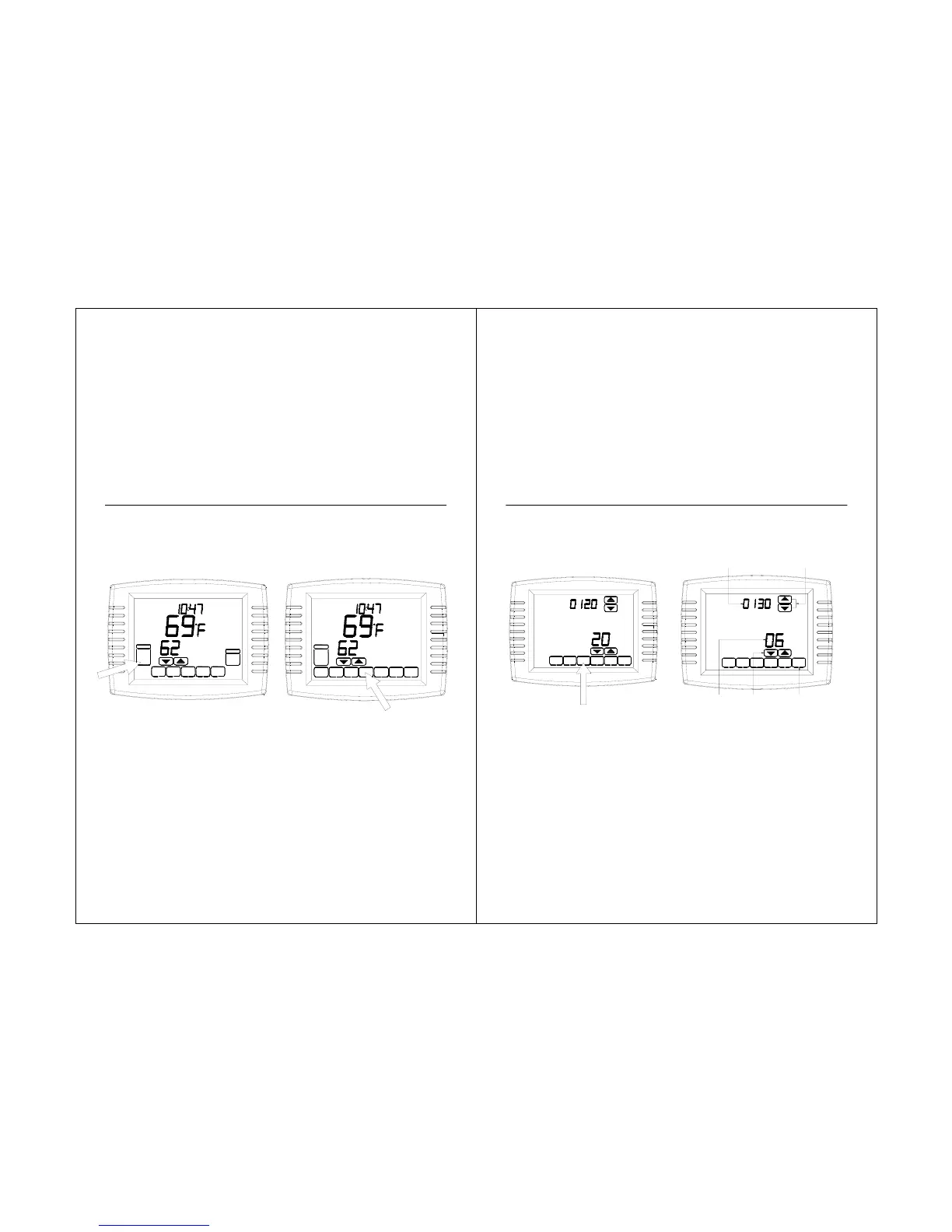
Follow these steps to enter the User
Setup:
1.Press and release the SYSTEM key.
2.Press and hold the center blank key for
approximately five seconds until the screen
changes.
58
Room
Running As SCHE D
Set To
SYSTEM
MORE SCHED HOLD CLOCK SCREEN
AUTO
FAN
TUE
AM
AUTO
Room
Set To
SYSTEM
COOL
TUE
AM
HEAT
OFF
CANCEL
DONE
STS11 Touchscreen Pro
rammable Thermostat
3.Release the center blank key when the
screen on the thermostat matches the
screen below.
4.See the screen below to review how the
thermostat keys are used during the User
Setup. See Table 5 for the User Setup
numbers and settings.
5.Press the DONE key to exit the User
Setup screen.
59
DONE
DONE
INSTALLER SETUP
NUMBER
ADVANCE TO
NEXT INSTALLER
SETUP
CURRENT
SETTING
CHANGE THE
CURRENT
SETTING
PRESS TO EXIT
INSTALLER SETUP



 To Next Page