rammable Thermostat
70
Clean
Thermostat
Screen
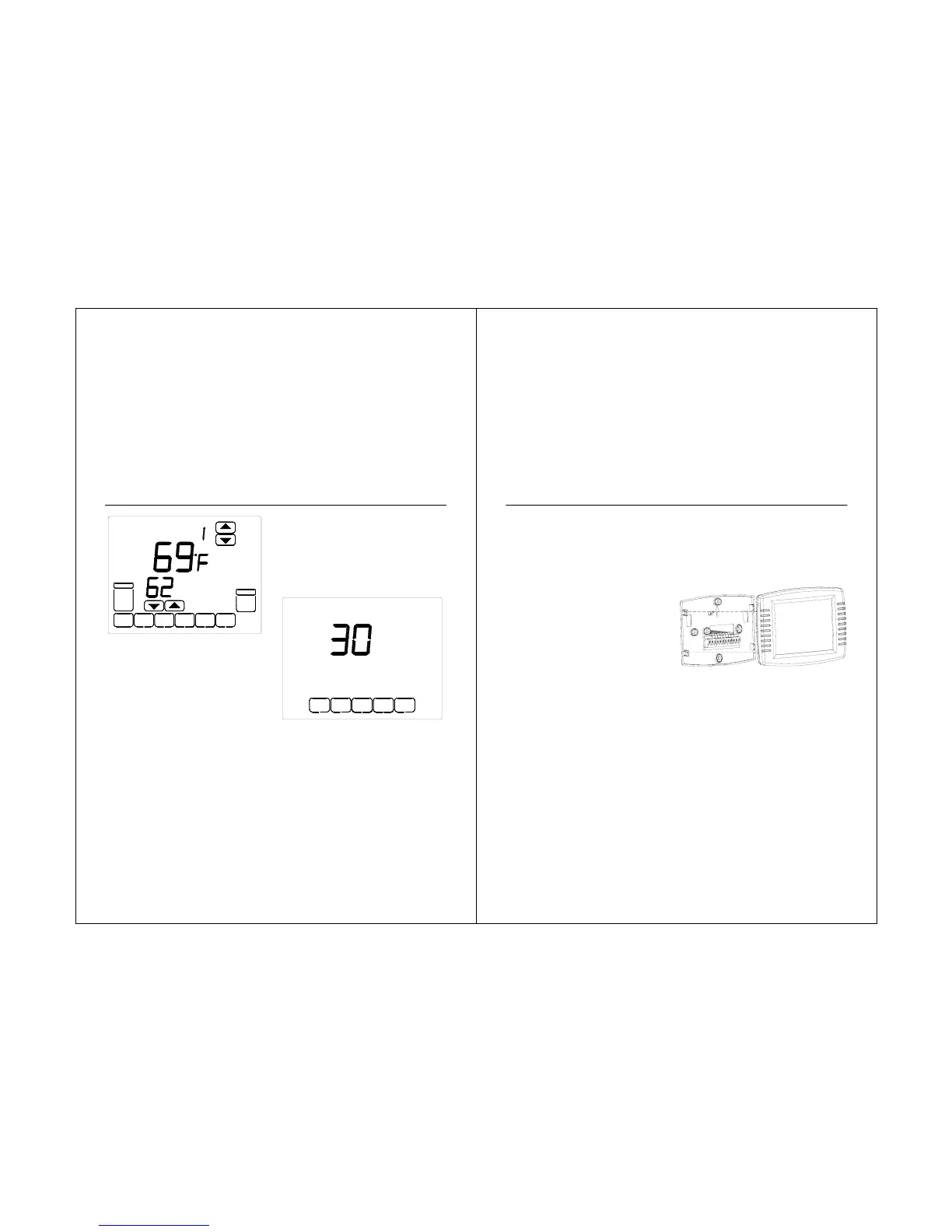
The thermostat has a touch screen interaction.
Follow these steps to clean the screen without
making thermostat parameter changes:
1. Press the SCREEN key. Thermostat locks
out all touch keys for 30 seconds to allow for
cleaning.
4. To cancel the Vacation Hold override
early, press the CANCEL key.
NOTE: When the number of days of
Vacation Hold expires, the screen
shows Running As SCHED to
indicate that Vacation Hold has
ended.
Room
Set To
SYSTEM
SCHED
CLOCK
SCREEN
AUTO
FAN
TUE
HEAT
Override Until
DAYS
CANCEL
CLEAN SCREEN
STS11 Touchscreen Pro
rammable Thermostat
2. Use damp cloth slightly moistened with
water or household glass cleaner to clean
the screen.
3. Repeat the above steps, as necessary.
IMPORTANT
Do not spray any type of liquid
directly on the thermostat itself. If
using household glass cleaner,
spray cleaner on cloth. Then use
cloth to clean the thermostat
screen.
4. Press the DONE key to return to the
Home Screen and normal operation.
Replace
Batteries
1. When the Battery indicator is flashing,
replace the batteries promptly with two
fresh AA alkaline batteries
2. Remove thermostat from the wallplate
by pulling straight out.
3. Remove the old batte
ies and insert two
fresh AA alkaline batteries, as marked on the
thermostat.
71



 To Next Page