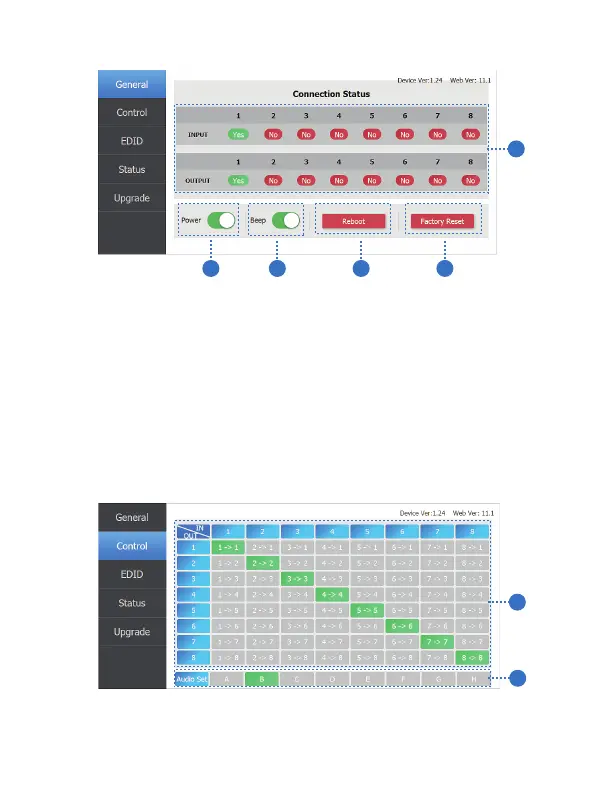
General page
① Display currently the Matrix input and output port status. The “yes” have
connected input or output source and “no” represent not connection.
② Power switch. The Matrix will work when open this switch, otherwise, the
Matrix will standby.
③ Beep switch. Open this switch, press the Matrix on-panel button will
have voice. Close this switch, it will mute.
④ Click this button will reboot device.
⑤ Click this button will set to factory reset.
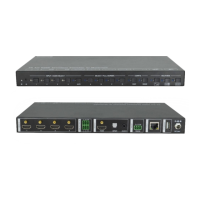
Control page
1
2
① Select the input source to the output port.
② Select the output port audio.
1
2
3 4
5
8/12
Website: www.seada.co.uk E-mail: sales@seada.co.uk



 To Next Page