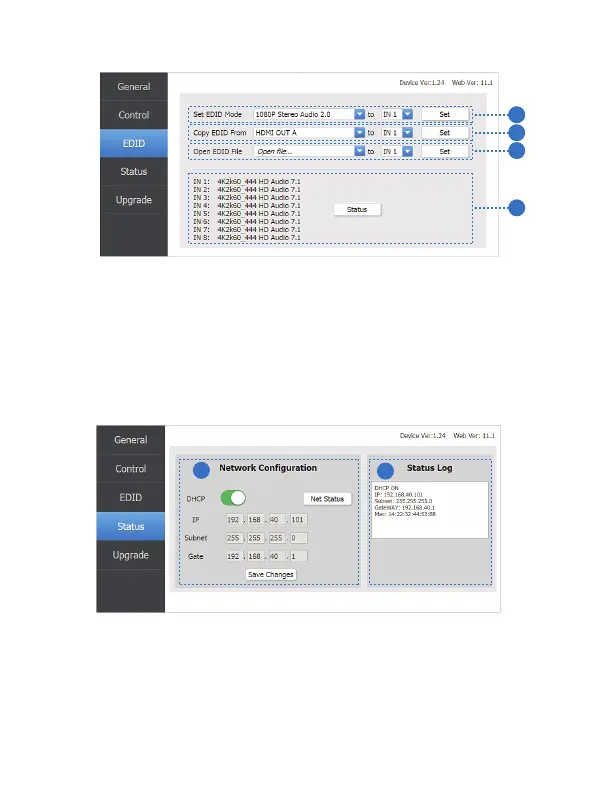
EDID page
1
2
3
4
① Set EDID mode to input source, then click “Set” button.
② Copy EDID from HDMI output port to input source, then click “Set” button.
③ Open EDID file to input source, then click “Set” button.
④ Click “Refresh” button to refresh currently EDID mode. It will diaplay
currently input source EDID mode status.
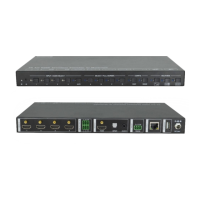
Status page
1
2
① Network Configuration
◆ In DHCP open status:
HDCP switch: Obtian the network configuration information, including IP
address, Subnet, Gate. Then click “Save Changes” button to save DHCP
status.
9/12
Website: www.seada.co.uk E-mail: sales@seada.co.uk



 To Next Page