8. Web GUI User Guide
The Matrix can be controlled via Web GUI through LAN port. You must know
current Matrix IP address. The static IP address is 192.168.1.100. You can
connect PC Web GUI through dynamic IP adress. In this unit, you can get the
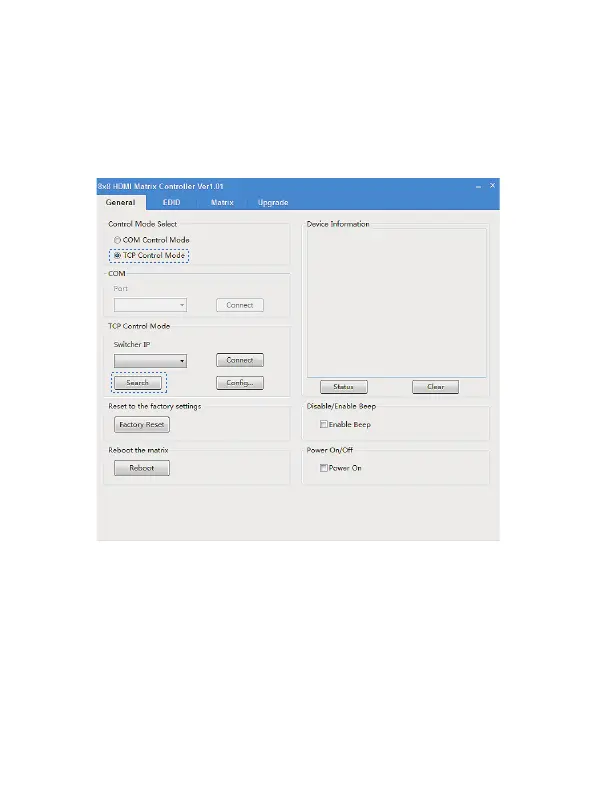
IP address via PC Controller. Firstly, opening Matrix PC Controller software,
as following page:
Then select the “TCP Control Mode” port, click the “Search” button. At this
moment, you can get current IP address. You can set the IP address to your
PC/laptop/mobile Internet Explorer and click “Search” to enter Web GUI page.
The Web GUI likes below:
7/12
Website: www.seada.co.uk E-mail: sales@seada.co.uk



 To Next Page