Geng Started
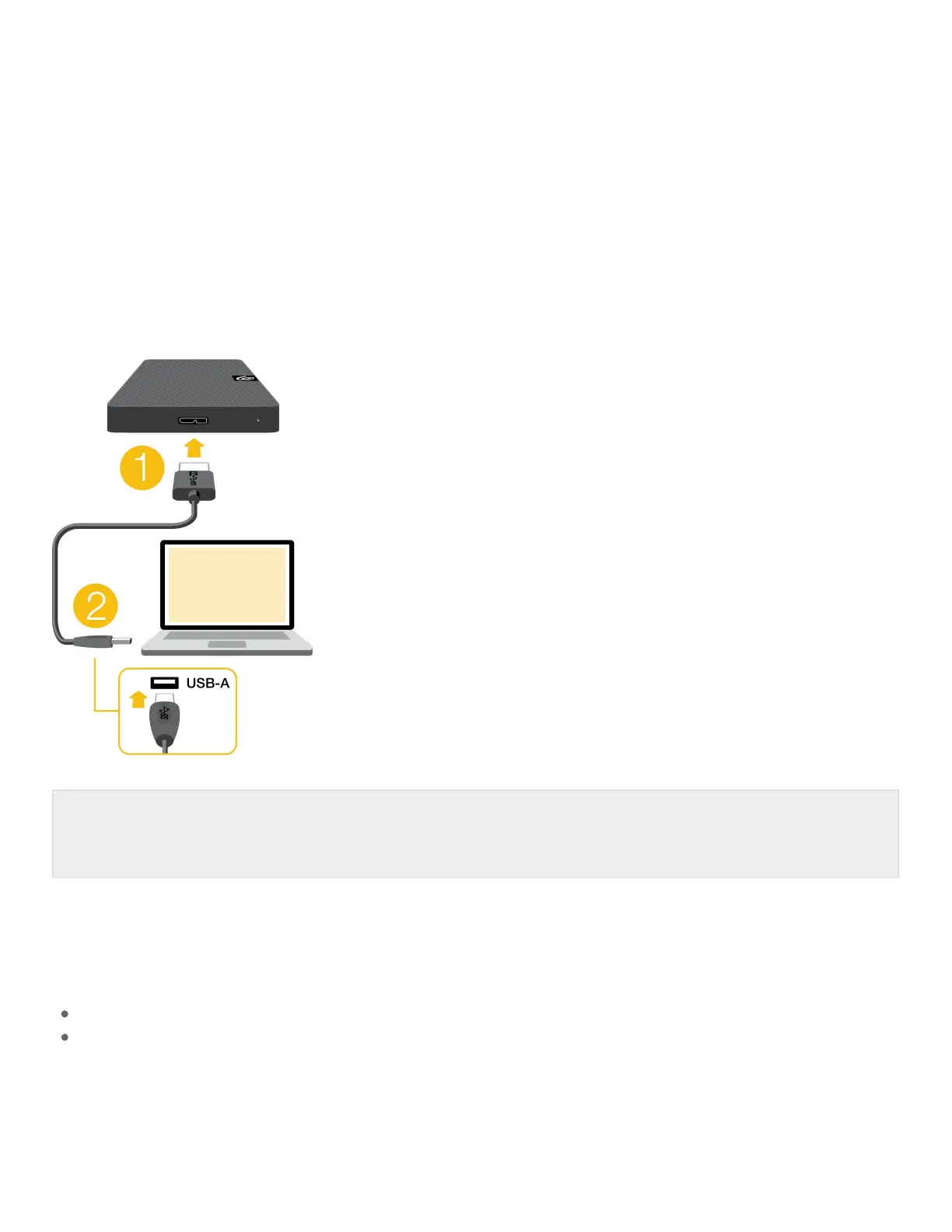
Connect the USB cable
1. Connect the USB micro-B end of the cable to the USB micro-B port on Expansion Portable.
2. Connect the USB-A end of the cable to your computer’s USB-A port.
Back up files
Expansion Portable is ready for use!
How to back up files (Windows)
How to back up files (macOS)
You can connect your Seagate device to a USB-C port on your computer. The USB-C port must
support USB 3.0 or higher. A USB micro-B to USB-C cable is not included with this device.





 To Next Page