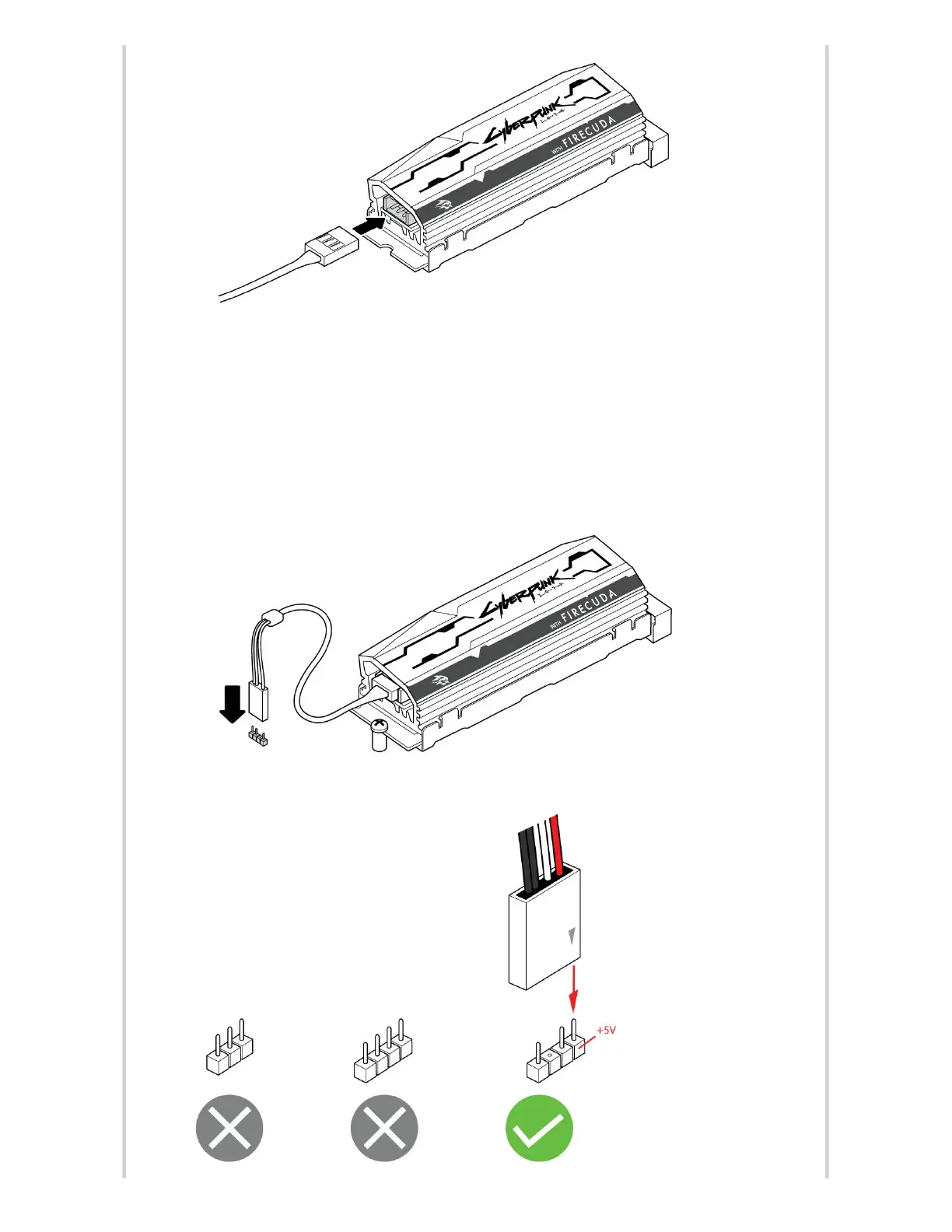
2. Connect the other end of the cable to the 5V addressable header on the
motherboard. The power pin (marked with a triangle and identified by the red cable)
must be connected to the 5V pin 1. Refer to your motherboard documentation for
detailed instructions on how to connect RGB capable components to your
motherboard. Incorrect connection can damage the RGB connector on the heatsink as
well as the computer's LED function.










 To Next Page