Reviewer’s Guide: Seagate BlackArmor NAS 440
4
cords, but that is a very expensive solution. In designing the BlackArmor NAS, we did
the next best thing: use an external power supply, exactly like a notebook computer
does. Should it ever fail, simply unplug and replace it with another one.
Using an external supply offers several benefits:
•
Quick replacement ensures access to data with minimal downtime
•
Heat generated by the power supply is kept away from electronics and drives
•
The entire unit can be made smaller and lighter
•
Ventilation is improved, helping to keep drives cool
Multiple Simultaneous RAID Levels
BlackArmor NAS supports creation of up to four logical volumes. Each volume can be
provisioned at a different RAID level of protection (RAID-0/1/5/10). To our knowledge,
this capability has never before been incorporated into a small-business NAS solution.
The reasons for setting up volumes with different levels of RAID protection should be a
function of the data it stores.
For example, data files that are crucial for running a business but where read/write
speeds are not a concern would be best served by RAID Level 5. Files that require
redundancy and faster read/write performance might be stored at RAID Level 1. For files
that require very fast performance, such as watching a downloaded movie stored on the
NAS, RAID Level 0, which improves performance but provides no fault tolerance may be
the best choice. With the Seagate BlackArmor NAS, it’s possible to provide all of these
RAID configurations simultaneously; it takes just a few minutes to set up. (Note: RAID 5
requires a minimum of three drives, though use of four is preferred. RAID 10 requires
four drives configured in mirrored pairs.)
The default RAID setting for the BlackArmor is RAID 5 for the BlackArmor NAS 440
server and RAID 1 for the BlackArmor NAS 220. This ensures the most reliable and
redundant back up of the data it contains.
Hot-Swappable Drives
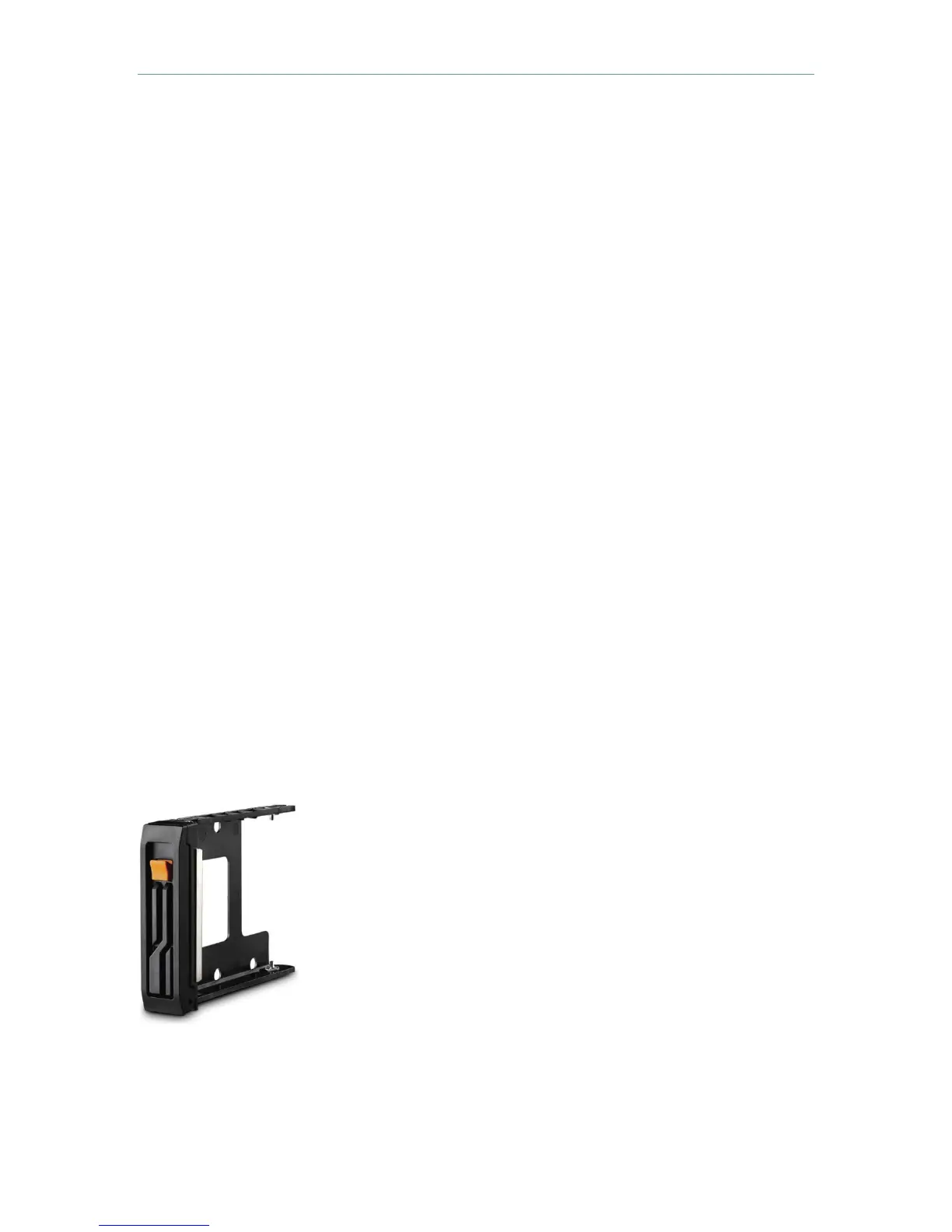
All BlackArmor NAS products are user-serviceable and feature
hot-swappable drives to ensure uninterrupted operation. No
tools are required. Simply insert the spare or replacement drive
into the cradle and then slide the cradle into the drive bay.
Should a drive ever require replacement, hot swapping means
the unit need not be powered down. Additional drive cradles are
available for replacement or easy swap for archiving drives.
Though Seagate drives are known for their exceptional quality, it
is suggested that a company which cannot risk down time keep
a spare drive in a cradle ready for use on a moment’s notice.
It is important to note that different RAID levels provide differing
levels of protection and performance. The BlackArmor NAS 440 ships with RAID 5
already set up and the NAS 220 ships in a RAID 1 configuration. RAID 5 provides the
highest possible level of protection for data. Seagate strongly urges the use of RAID 5
Drive cradle












 To Next Page