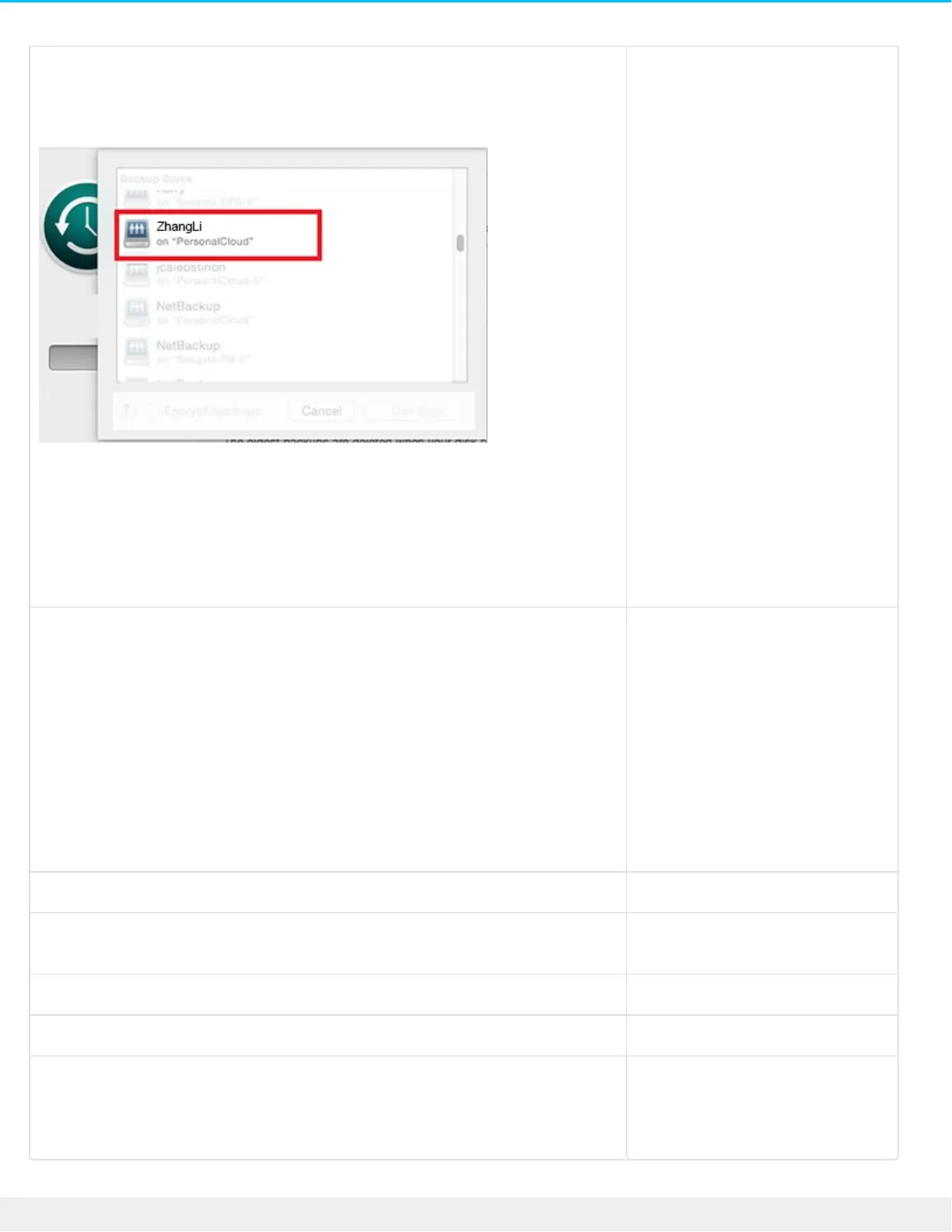
Mac.Set up a Time Machine plan
.Open Time Machine preferences .1
.Click Select Disk .2
.Find your Private folder name .3
.Select the folder and click Use Disk .4
.Enter your Personal Cloud username and password .5
.Click Connect .6
Wait for a minute or two to connect. Your backup will start
.automatically
Mobile deviceInstall Seagate Dashboard on your PC or Mac, and sign in to the Mobile .1
.Backup section in Dashboard
Install the Seagate Mobile Backup app on your mobile device from .2
your app store and create a backup plan as instructed in the app’s
.help
Install Seagate Media on your mobile device from your app store, and .3
set up Auto Upload to automatically back up photos and videos to
your Personal Cloud. Configure Auto Upload in the Seagate Media
.app's Settings menu
Personal Cloud.See Backup Manager
CamerasSee Backup Manager for backups and Filebrowser for easy copying and
.ingest
USB storage.See Backup Manager
Cloud storage.See Backup Manager
Network storage (e.g. another
Personal Cloud, Seagate
network storage or third-party
(network storage
.See Backup Manager










 To Next Page