Filebrowser
.Use the Filebrowser app to view, share and manage your files on your Seagate storage device
:You can
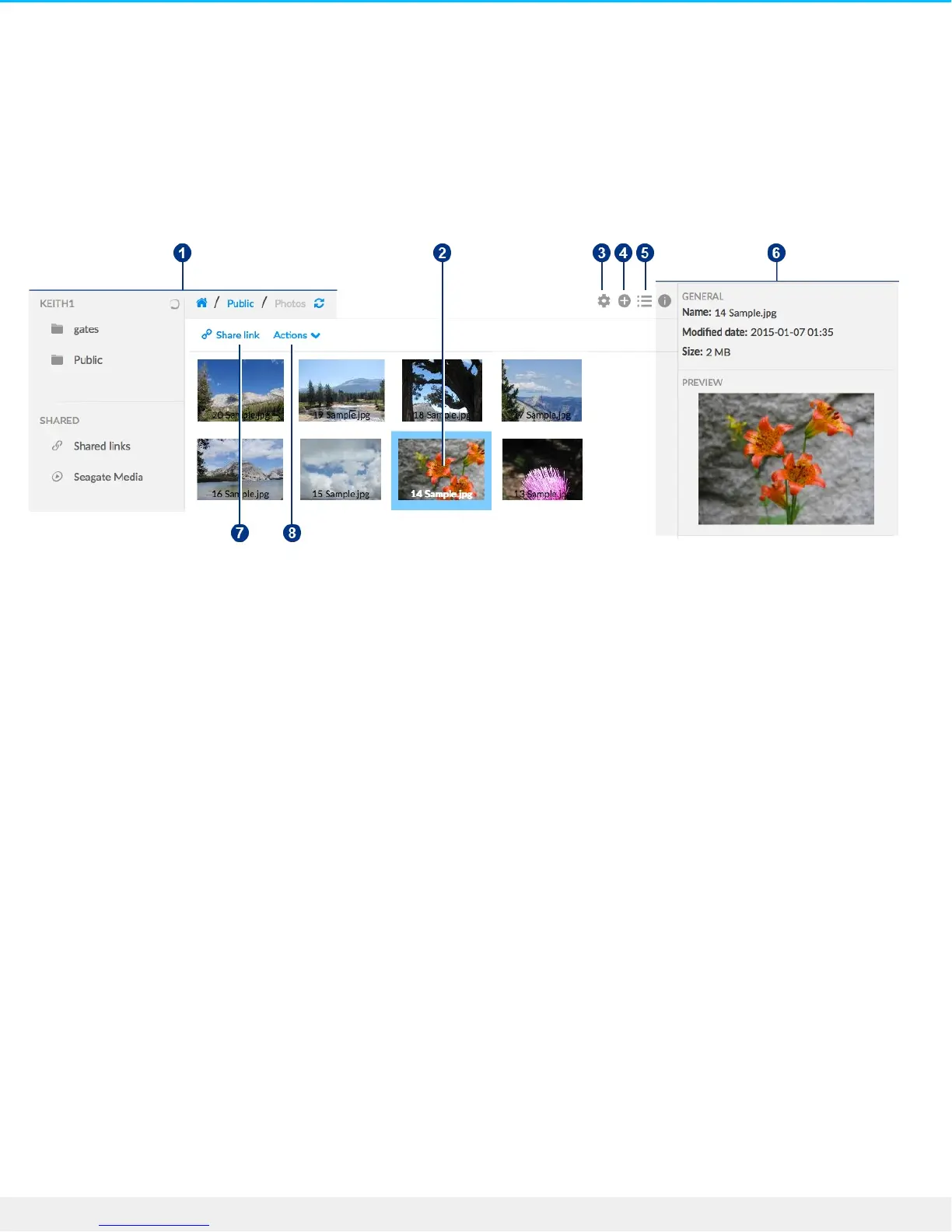
. Browse the media on your Personal Cloud .1
. Select and open files for viewing or playing .2
. Choose from Advanced Settings .3
. Create folders and upload files to your Personal Cloud .4
. Switch between list/thumbnail views .5
. View file and folder information .6
. Share links to files with other people .7
.Manage your content: Download, copy, move, rename, and delete files and folders .8
Access your Personal Cloud
(Access using a web browser (PC and Mac
.Open a web browser and go to PersonalCloud.seagate.com .1
.Log in with your email address and password .2
.Your NAS OS devices are listed. Click on the Personal Could you would like to access .3
(Access using Windows or File Explorer (PC only
.Open your File Explorer .1
.Under Networds, click PersonalCloud .2
.Open the Public folder, and then double-click PersonalCloud .3











 To Next Page