
 Need help?
Do you have a question about the Seagate SRD0NF1 and is the answer not in the manual?
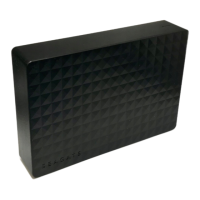
Lists the items included in the product packaging for the Seagate Expansion Portable.
Specifies the necessary hardware and software for the drive to function correctly.
Instructions on how to physically connect the Seagate Expansion Portable to a computer via USB.
Guides users through the initial setup process, including registration and software installation.
Explains how to create custom backup plans using the Seagate Toolkit software on Windows.
Details the process of setting up a synchronized mirror folder for data backup and management.
Step-by-step guide for safely ejecting the drive from a Windows operating system.
Instructions on how to safely remove the drive from a macOS computer using Finder or Desktop.
Discusses file system options like exFAT, NTFS, and HFS+ for compatibility and performance.
Addresses common user questions regarding file transfer speed, connectivity, and USB hubs.
Troubleshooting steps for when the hard drive icon does not appear in Windows Computer or Device Manager.
Troubleshooting steps for when the hard drive icon is not visible on the macOS desktop.
Details compliance information regarding hazardous substances for China RoHS and Taiwan RoHS standards.
 General
| Model | SRD0NF1 |
|---|---|
| Category | Storage |
| Type | External Hard Drive |
| Capacity | 1TB |
| Interface | USB 3.0 |
| Form Factor | 2.5-inch |
| Compatibility | Windows, Mac |
| Weight | 159g (for 1TB and 2TB) |




 To Next Page