Geng Started
Connect the USB cable
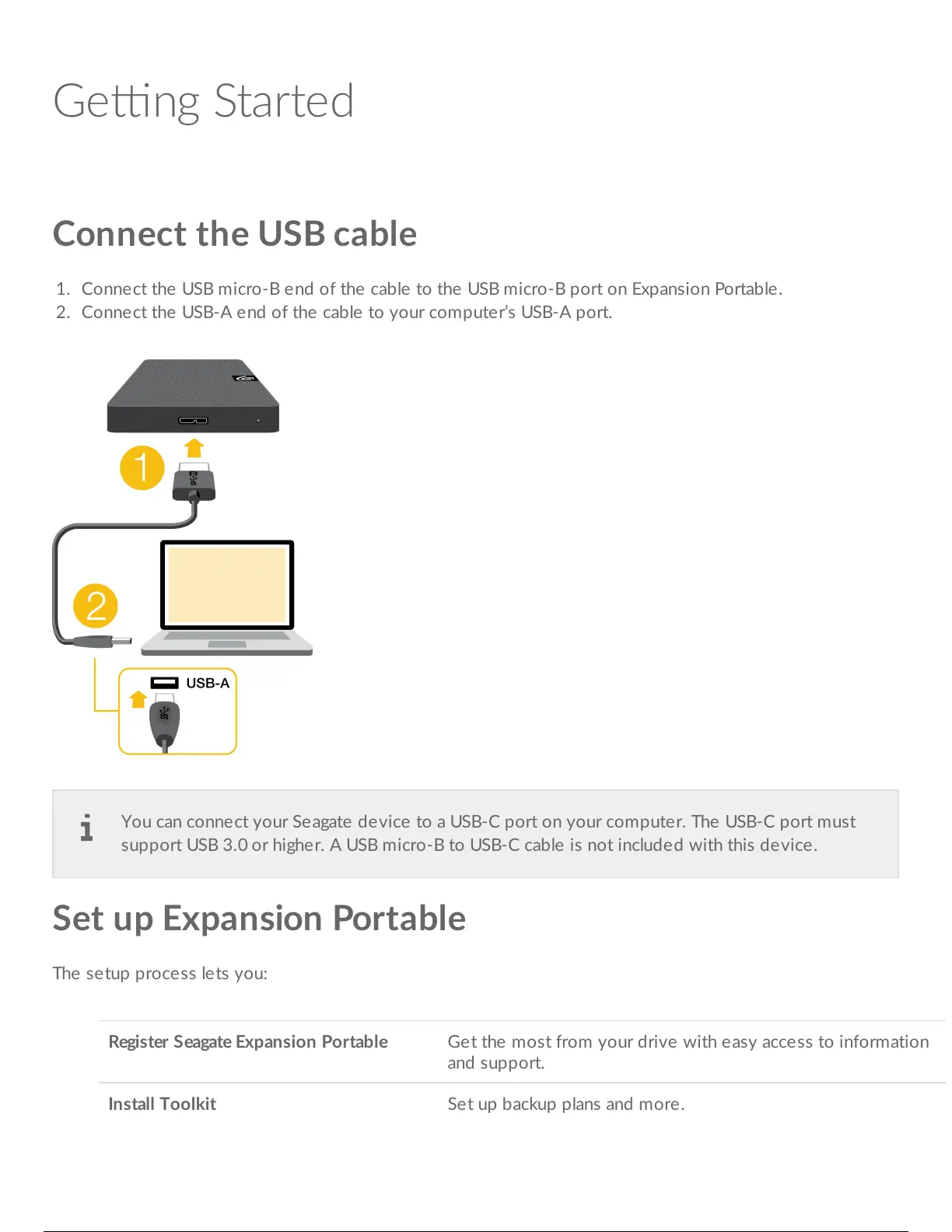
1. Connect the USB micro-B end of the cable to the USB micro-B port on Expansion Portable.
2. Connect the USB-A end of the cable to your computer’s USB-A port.
Set up Expansion Portable
The setup process lets you:
Register Seagate Expansion Portable Get the most from your drive with easy access to information
and support.
Install Toolkit Set up backup plans and more.
You can connect your Seagate device to a USB-C port on your computer. The USB-C port must
support USB 3.0 or higher. A USB micro-B to USB-C cable is not included with this device.





 To Next Page