5. An Overview of Your Seagate Wireless Plus Device
Seagate Wireless Plus User Guide 12
5. An Overview of Your
Seagate
Wireless Plus
Device
This chapter identifies the different parts that make up your Seagate Wireless Plus device
and provides information to help you keep your device charged and ready to stream your
media library to your viewing/listening device.
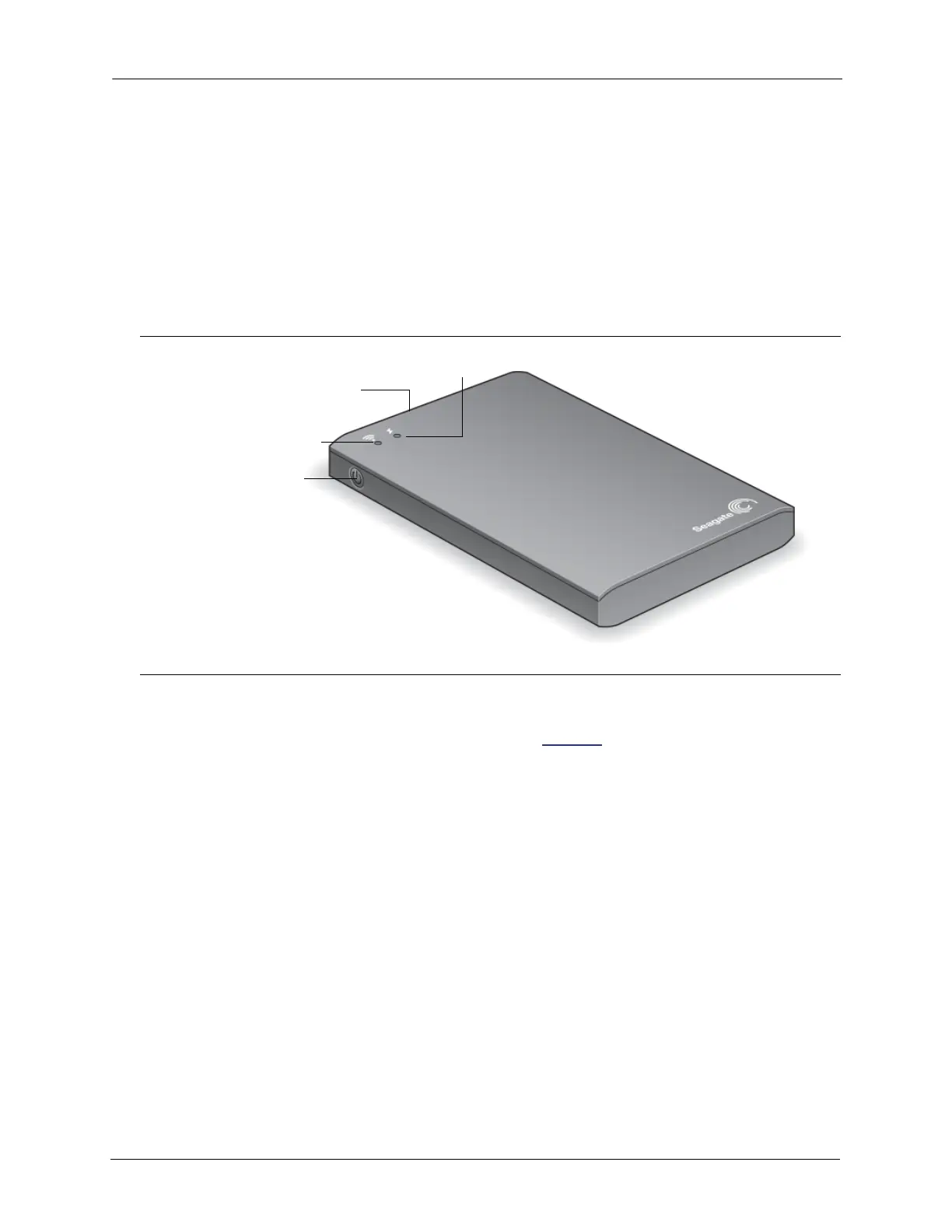
Understanding Wi-Fi Mode and Backup Mode
The Seagate Wireless Plus device serves as a Wi-Fi network allowing you to stream your
media and files to other devices or as a backup drive to your computer. Understanding the
visual features of the device helps you understand its function.
To setup the device to broadcast over Wi-Fi:
1. Do not connect the device to your computer as this disables Wi-Fi capability.
2. Press the power button to turn the device on.
The Wi-Fi LED blinks blue as it searches for a network and turns sold blue when it is Wi-
Fi ready and broadcasting.
To setup the device to backup your computer:
1. Connect the supplied cable to the USB 3.0 port on the device and to the USB 3.0 port on
your computer (or 2.0 port if your computer doesn’t have a 3.0 port).
2. The power button can be on or off. The device gets its power from the computer.
The Wi-Fi LED is white.
Power Button
USB 3.0 Port
Wi-Fi LED
Power LED









 To Next Page