The device’s name appears on your computer as Seagate Wireless xxx where xxx represents the last three
.digits of the device’s serial number
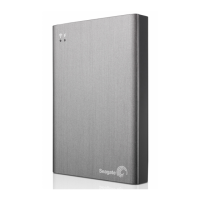
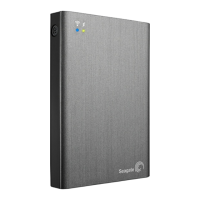
The power button on your Seagate Wireless Plus can be on or off. The device gets its power from the .2
.computer
A white Wi-Fi LED indicates that the wireless connection has been disabled. The battery LED turns amber
.when the device is charging
Mac only) If the device is connected to your Mac, install MacInstaller.dmg (located on your Seagate) .3
.Wireless Plus) to allow file copying
.Copy media to your device by dragging and dropping files from your computer to your device .4
You can also install Seagate Media Sync software to help you copy your files and synchronize them after they
:are on your Seagate Wireless Plus. Download the software to learn more
Windows
Mac
Seng a Password for Your Seagate Wireless Plus
When you set a password for your Seagate Wireless Plus, only those who know the password can connect their
.devices to the wireless device
.Establish a wireless connection from your mobile device or computer to the Seagate Wireless Plus .1
.Open the Seagate Media app on your mobile device or in a Web browser on your computer .2
(. ) Tap or click the Settings icon .3
:Notes
If you are connecting to a Mac, do not allow Time Machine to use the Seagate Wireless Plus for
backup because it will attempt to reformat the drive. If your device has been reformatted, see I
.mistakenly reformatted the drive for my Mac
The Seagate Wireless Plus is not available as a wireless connection to your other devices while
.it is physically connected to your computer
:Notes
It is the user’s responsibility to comply with applicable copyright laws and to respect owner’s rights
.in content usage
The time it takes to copy data to your Seagate Wireless Plus depends on the amount you are
. copying. If you have a lot of media files, consider copying the files overnight
Your Apple, Android, or other Wi-Fi device plays files only in the formats that it supports. See your
.device’s specifications for details
You cannot copy files from your Seagate Wireless Plus to your computer. You can copy files to and
.from your mobile device and your Seagate Wireless Plus while in Wi-Fi mode









 To Next Page