Using Wireless Plus
Understanding how your Seagate Wireless Plus operates helps keep your device charged and ready to stream
.your media library
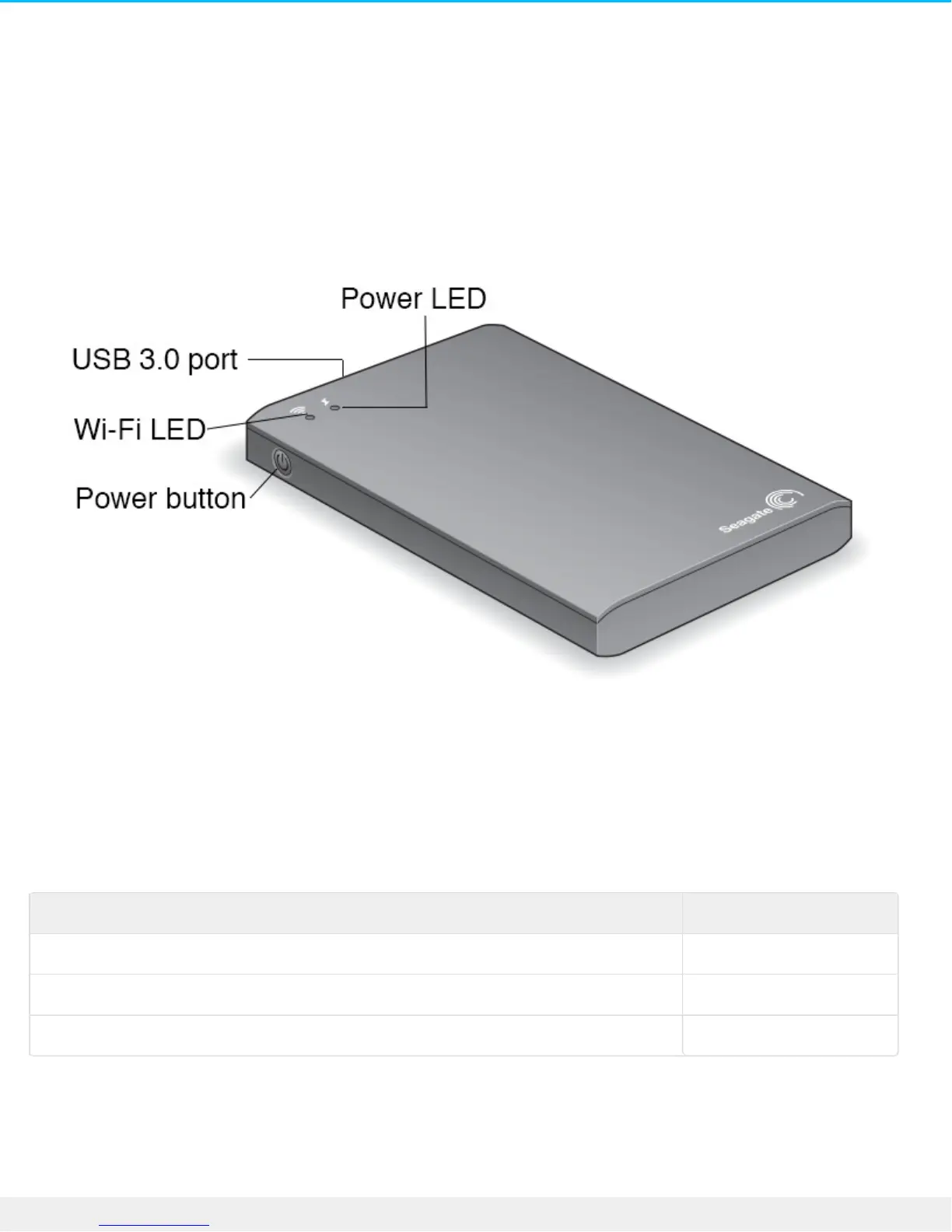
Understanding Wi-Fi Mode
The Seagate Wireless Plus serves as a Wi-Fi network allowing you to stream your media to other devices.
.When the wireless device is physically connected to your computer, Wi-Fi mode is disabled
Wi-Fi LED ColorDescription
Blue.Wi-Fi enabled and ready to broadcast to other devices
White.Wi-Fi disabled and physically connected to a computer
No Color.Wi-Fi disabled and powered off
Connecng the device to your computer
If you are using the device to broadcast Wi-Fi and then physically connect the device to your computer, the
.Wi-Fi LED turns from blue to white and Wi-Fi is disabled









 To Next Page