Disconnecng the device from your computer
If the device is turned on and is physically connected to your computer, the Wi-Fi LED is white. If you
disconnect the device from the computer, the device searches for a network and the LED turns solid blue
.when it begins broadcasting
If the device has not been turned on and is physically connected to your computer, the Wi-Fi LED is white. If
you disconnect the device from the computer, the Wi-Fi LED has no color because the device is turned off and
.unable to broadcast over Wi-Fi
Working with the Baery
.The Seagate Wireless Plus uses a rechargeable lithium-ion battery
Charging the Baery
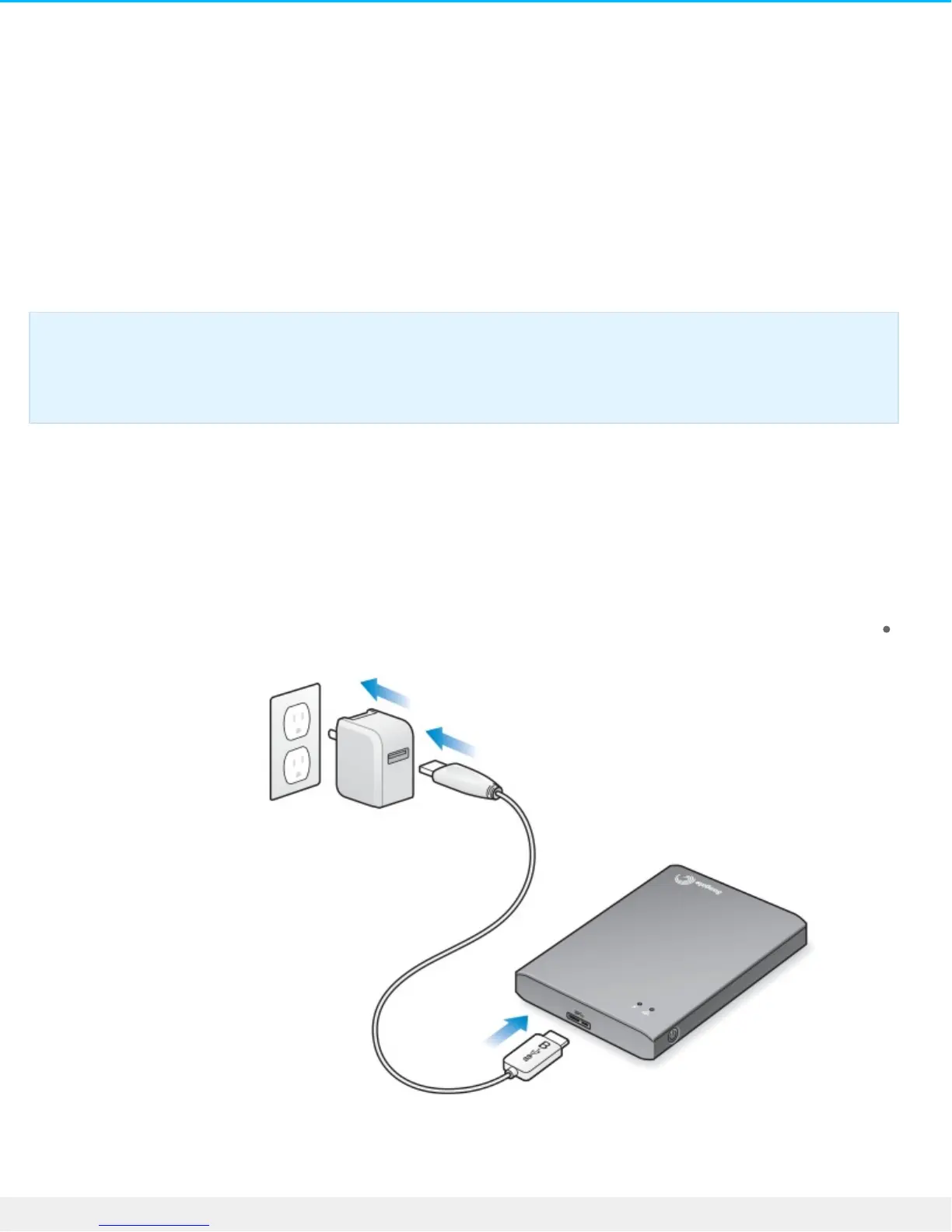
.To charge the battery, connect the device to a power outlet using the included USB to DC wall adapter
TIP: If your Seagate Wireless Plus is not working as you expect, reset the device by pressing and
holding the power button for 15 seconds. This turns off the LEDs, and then shuts down and restarts
.the device









 To Next Page