EasyManua.ls Logo

Seamaty SMT-120V - User Manual

Seamaty SMT-120V
45 pages
Print Icon
To Next Page IconTo Next Page
Loading...
Please read this manual carefully before using analyzer.
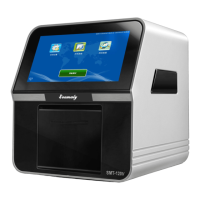
SMT-120V
User Manual
Fully Automated Veterinary
Chemistry Analyzer

Questions and Answers

Summary

Good to Know

Manual Usage and Scope

Instructions on how to use the manual and its scope of application for the analyzer.

Analyzer Symbols and Correct Operation

Analyzer Symbols Guide

Explanation of symbols used in the analyzer, including warning, caution, and biohazard indicators.

Correct Operation Precautions

Guidelines for correct operation, including pre-operation checks and environmental considerations for safe use.

Safety Compliance and Precautions

General and Specific Safety Measures

Detailed safety measures for preventing analyzer failure, electric shock, pollution, and proper handling of reagent discs.

Section 1 Introduction of Analyzer

Analyzer Overview, Introduction, and Principle

Provides a general overview of the analyzer, its brief introduction, and the underlying operational principle.

Section 1 Introduction of Analyzer

Structure, Composition, Functions, and Applications

Details the analyzer's structure, components, key functions, and its primary applications in veterinary diagnostics.

Section 1 Introduction of Analyzer

Analyzer Specifications

Lists the technical specifications of the SMT-120V analyzer, including sample type, volume, testing time, and power requirements.

Section 2 Installation of Analyzer

Unpacking and Initial Setup

Step-by-step guide for unpacking the analyzer and performing the initial setup procedures.

Section 2 Installation of Analyzer

Printer and External Printer Setup

Instructions for setting up the built-in thermal printer and connecting an external printer to the analyzer.

Section 3 Turning the Analyzer On and Off

Analyzer Power Management Procedures

Explains the correct procedures for turning the analyzer on and off to ensure longevity and proper operation.

Section 4 Operation

Frequently-used Buttons and Settings

Overview of frequently used buttons on the home screen and access to the system settings menu.

Section 4 Operation

System and Assay Configuration

Details on configuring system settings like date/time, hospital name, and customizing assay parameters.

Section 4 Operation

Sample and QC Data Management

Guidance on managing sample data and quality control data, including searching and reviewing results.

Section 4 Operation

Prepare Analysis and Soft Keyboard

Instructions for preparing the analyzer for tests and using the built-in soft keyboard for input.

Section 5 Test and Result

5.1 Sample Requirements

Defines the essential requirements for blood samples, including type, volume, and anticoagulants for accurate testing.

Section 5 Test and Result

5.2 Reagent Disc Preparation and Storage

Covers the proper storage, handling, and preparation of reagent discs for optimal performance.

Section 5 Test and Result

5.2.2 Sample Dispensing and Cautions

Details the correct procedure for dispensing samples into the reagent disc and important cautions to follow.

Section 5 Test and Result

5.3 Sample Testing Procedure

Step-by-step guide for initiating and conducting sample tests on the analyzer.

Analyzer Booting and Warm-up

Procedures for booting the analyzer and allowing it to warm up to operating temperature.

Section 5 Test and Result

Loading and Starting the Test

Instructions on loading the prepared reagent disc and starting the automated testing process.

Section 5 Test and Result

Barcode Scanner Fault Handling

Guidance on troubleshooting issues related to the barcode scanner during test initiation.

Section 5 Test and Result

Operator and Sample Information Entry

How to input operator and sample details during the testing process for record-keeping.

Section 5 Test and Result

Stopping Test and Process Summary

Information on how to stop a test in emergency situations and a summary of the overall test process.

Section 5 Test and Result

Reagent and Sample Handling Guidelines

General guidelines for handling reagent discs and samples to ensure accuracy and prevent contamination.

Section 5 Test and Result

5.5 Calibration and Quality Control

Details on analyzer calibration and the procedures for performing quality control checks.

Calibration and QC Procedures

Explains the self-calibration process and steps for executing quality control tests.

Section 5 Test and Result

Quality Control Testing Example

Illustrates an example of performing a quality control test and viewing its results.

Section 5 Test and Result

5.6 Printing Out Results

Covers the process of printing test results from the analyzer.

5.6.1 Built-in Printer Reports

Details the format and content of test reports generated by the built-in printer.

Sample Test Report Format

Describes the structure of a typical sample test report printed by the built-in analyzer printer.

Section 5 Test and Result

QC Test Report Format

Explains the format and content of quality control test reports printed by the built-in analyzer printer.

Section 5 Test and Result

5.6.2 External Printer Reports

Covers the process of printing test results using an external printer.

External Printer Sample Test Report

Shows the format of sample test reports printed via an external printer.

Section 5 Test and Result

External Printer QC Test Report

Illustrates the format of quality control test reports printed via an external printer.

Section 6 Maintenance & Service

6.1 Analyzer Cleaning Procedures

Provides detailed instructions for cleaning the exterior case, display, and interior of the analyzer.

Section 6 Maintenance & Service

Drawer Opening and Cleaning Preparation

Steps for opening the analyzer drawer and preparing it for internal cleaning procedures.

Section 6 Maintenance & Service

Drawer Chamber Cleaning and Paper Removal

Specific instructions for cleaning the drawer chamber and removing cleaning paper after use.

Cleaning Effectiveness Comparison

Visual comparison of the analyzer's interior before and after cleaning to assess effectiveness.

Section 6 Maintenance & Service

6.2 Software Update Procedures

Guides users on how and when to update the analyzer's software.

Section 6 Maintenance & Service

6.2.1 Updating via USB Flash Drive

Step-by-step instructions for updating the analyzer software using a USB flash drive.

Section 6 Maintenance & Service

6.2.2 Updating via WIFI

Instructions for updating the analyzer software wirelessly via a WIFI connection.

Section 6 Maintenance & Service

WIFI Network Connection

Details on connecting the analyzer to a WIFI network for software updates and other functions.

Section 6 Maintenance & Service

Software Download and Installation

Process of downloading and installing new software versions onto the analyzer.

6.3 Troubleshooting Common Issues

Provides solutions for common problems encountered during analyzer operation.

Section 6 Maintenance & Service

Troubleshooting Analyzer Problems

Detailed troubleshooting guide for resolving various issues and errors with the analyzer.

Section 6 Maintenance & Service

6.4 Consumables Replacement and Cautions

Information on replacing consumables like printing paper and reagent discs, along with handling cautions.

Section 7 Packing, Storage and Transportation

Packing, Storage, and Transportation Guidelines

Guidelines for packing, storing, and transporting the analyzer safely and effectively.

Outer Carton Case Signs

Explanation of the various symbols found on the outer carton case for proper handling.

Section 8 Contact Information

Manufacturer and After-sales Service Details

Contact details for the manufacturer and after-sales service department for support and inquiries.

Seamaty SMT-120V Specifications

General IconGeneral
BrandSeamaty
ModelSMT-120V
CategoryMeasuring Instruments
LanguageEnglish