3. Before you start…
Unpacking
The scope of supply includes:
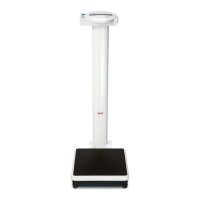
• Weighing platform
• Column with display head
• Column socket
• 1 WAF 5 Allen key
• 2 Screws
• Battery holder containing
6 mignon-type AA 1.5 V batteries
• 1 set of operating instructions
Fitting the column
The column with the LCD display can be fitted in two positions, allowing you to determine
in which direction the display is legible - facing either towards or away from the platform.
– Push the column socket onto the col-
umn.
– Place the column in the recess, facing it
in the desired direction.
– Screw the column to the weighing plat-
form from underneath.
If necessary, lay the scale carefully on
its side to tighten up the screws.
– Connect the plugs of the display cable
on the underside of the weighing plat-
form as shown in the illustration.
– Fix the plugs in the cable guide.
– Then place the scale upright again.
– Push the column socket right down un-
til it engages in the weighing platform.



 To Next Page
 Loading...