● First, make sure that your PC is connected to the Internet.
● Connect the vinyl cutter to your computer using the supplied USB cable.
● Switch on the device.
● Your Secabo vinyl cutter will now be detected. Windows will search for the appropriate
drivers and automatically install them. This can take some time. Afterwards, the device will
be ready for operation.
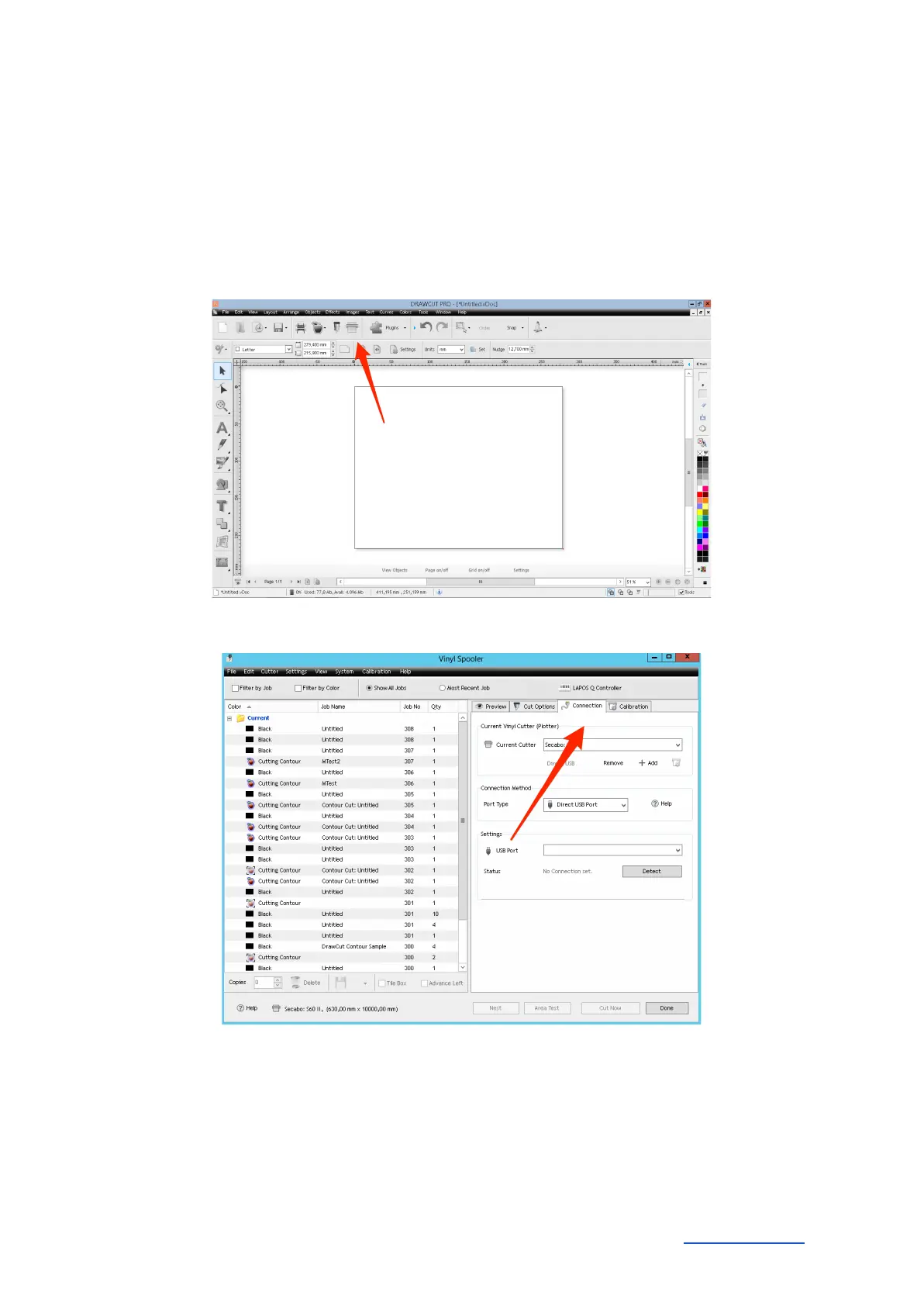
● Start DrawCut.
● Next, open the "Vinyl Spooler" in Drawcut.
● Now click on the "Connections" tab.
● Next, add your vinyl cutter by pressing the "Add" button (a Secabo S60 is used in the
example), select your model and click "Install".
Secabo GmbH Hochstatt 6-8 85283 Wolnzach Germany mail@secabo.com www.secabo.com
8



 To Next Page