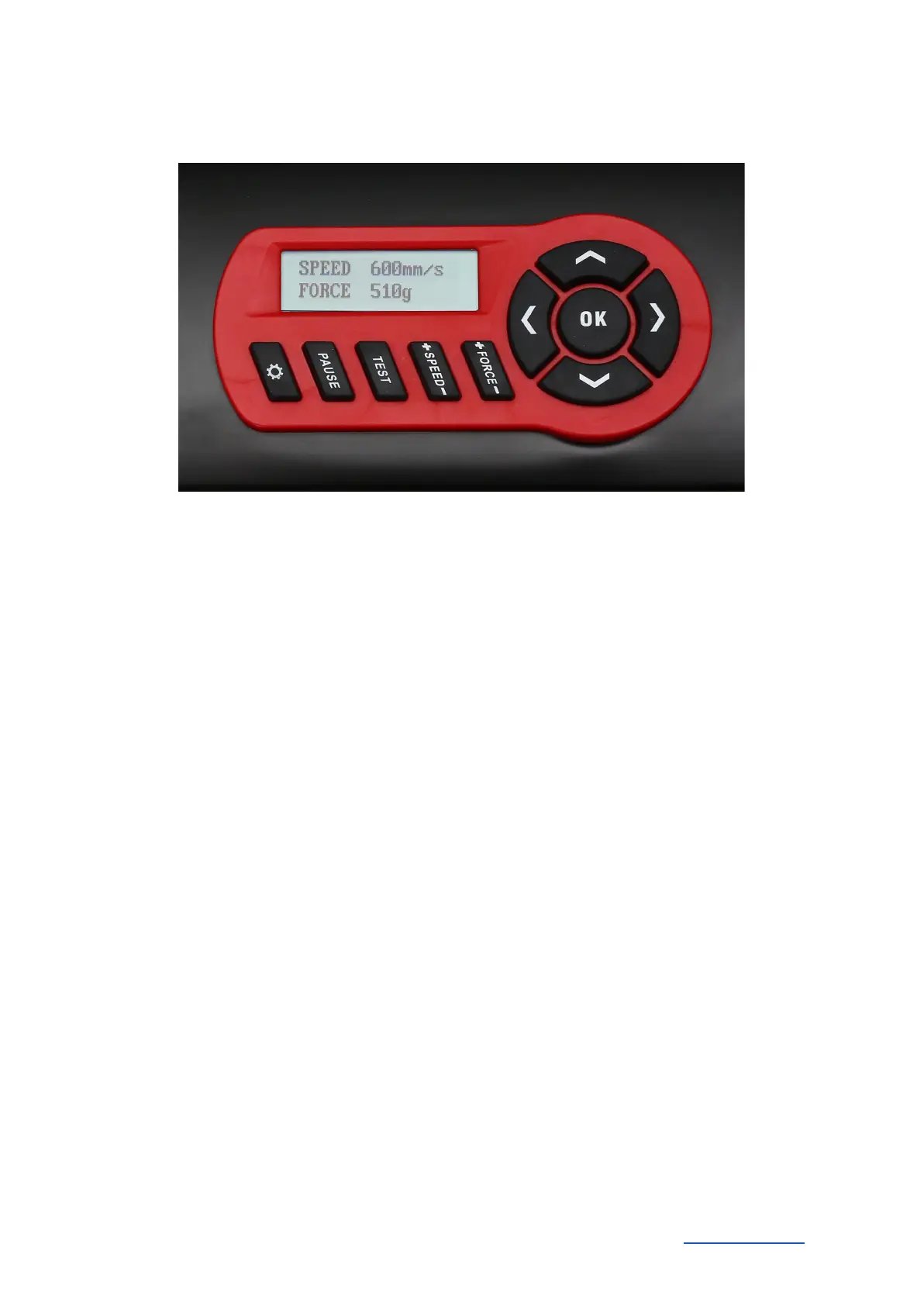
Control panel
Initial operation of machine and software
Caution! Please note that DrawCut LITE or PRO must be installed first to allow for a smooth
installation and complete configuration.
Installation DrawCut LITE
Our Secabo vinyl cutters are delivered with the cutting software DrawCut LITE. This software must
be activated over the internet. You do not necessarily need internet access on the computer, on
which DrawCut LITE will be installed. The activation can also be done through another computer.
In order to control your vinyl cutter via your computer, install the software as described below:
● Disable the Windows Firewall and your anti-virus software for the time of installation.
● Download the current version of DrawCut LITE at http://www.draw-cut.com/#downloads and
follow the installation wizard.
● Find your 26-digit DrawCut serial number on the printout that was delivered with your
Secabo vinyl cutter. Enter it when you are prompted to do so.
● Now you can use DrawCut LITE.
Installation of your Secabo vinyl cutter in DrawCut
Please keep in mind that your Secabo vinyl cutter can only be operated under Windows XP,
Windows Vista, Windows 7, Windows 8, Windows 8.1 and Windows 10. Operation with an older
version of Windows is not possible.
Secabo GmbH Hochstatt 6-8 85283 Wolnzach Germany mail@secabo.com www.secabo.com
7



 To Next Page