Reset to Factory Default , Page 6 of 10
2015
3.3. All other SiteManagers
1. Power your PC and the appliance off.
2. Connect the PC and the appliance’s DB-9 interface with the null-modem cable.
3. Power your PC and the appliance on.
4. Start HyperTerminal or similar program.
5. Set the communication parameters: See figures below
6. If a prompt (>) does not appear on the screen, press Enter
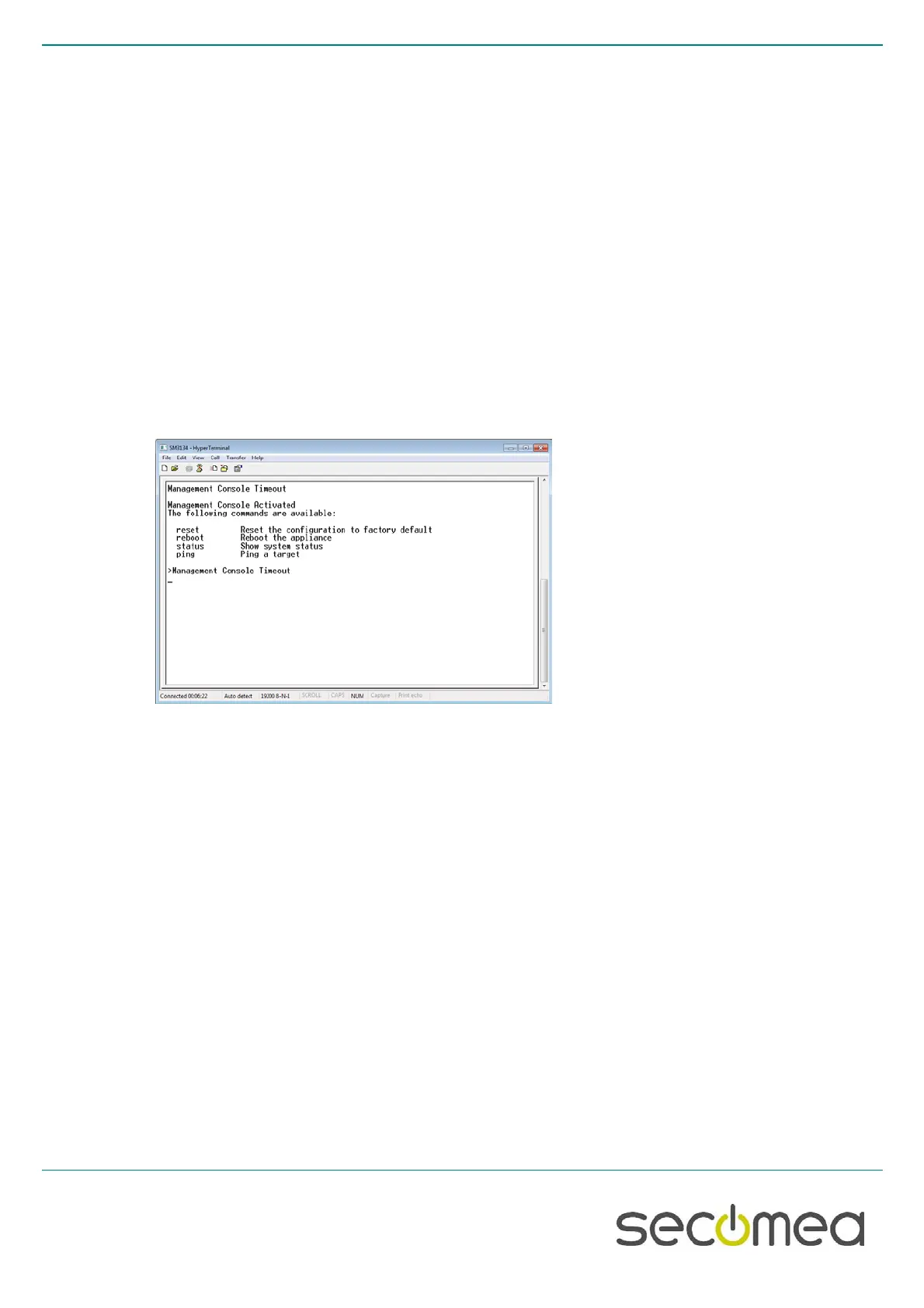
a. NOTE: If a serial agent is configured on the SiteManager, the console messages on the COM port are
“muted” (aka “ConMute”). To activate the console menu in the terminal, press the Ctrl key, while you type
kkk . The three k’s have to be typed fast after each other (within one second). Try a couple of times if you
do not succeed immediately. You should then get this screen
7. Type reset , followed by Enter
8. Type Yes ( to confirm), followed by Enter
9. Type reboot , followed by Enter
10. Close the session
11. Power off and disconnect the cable.



 To Next Page