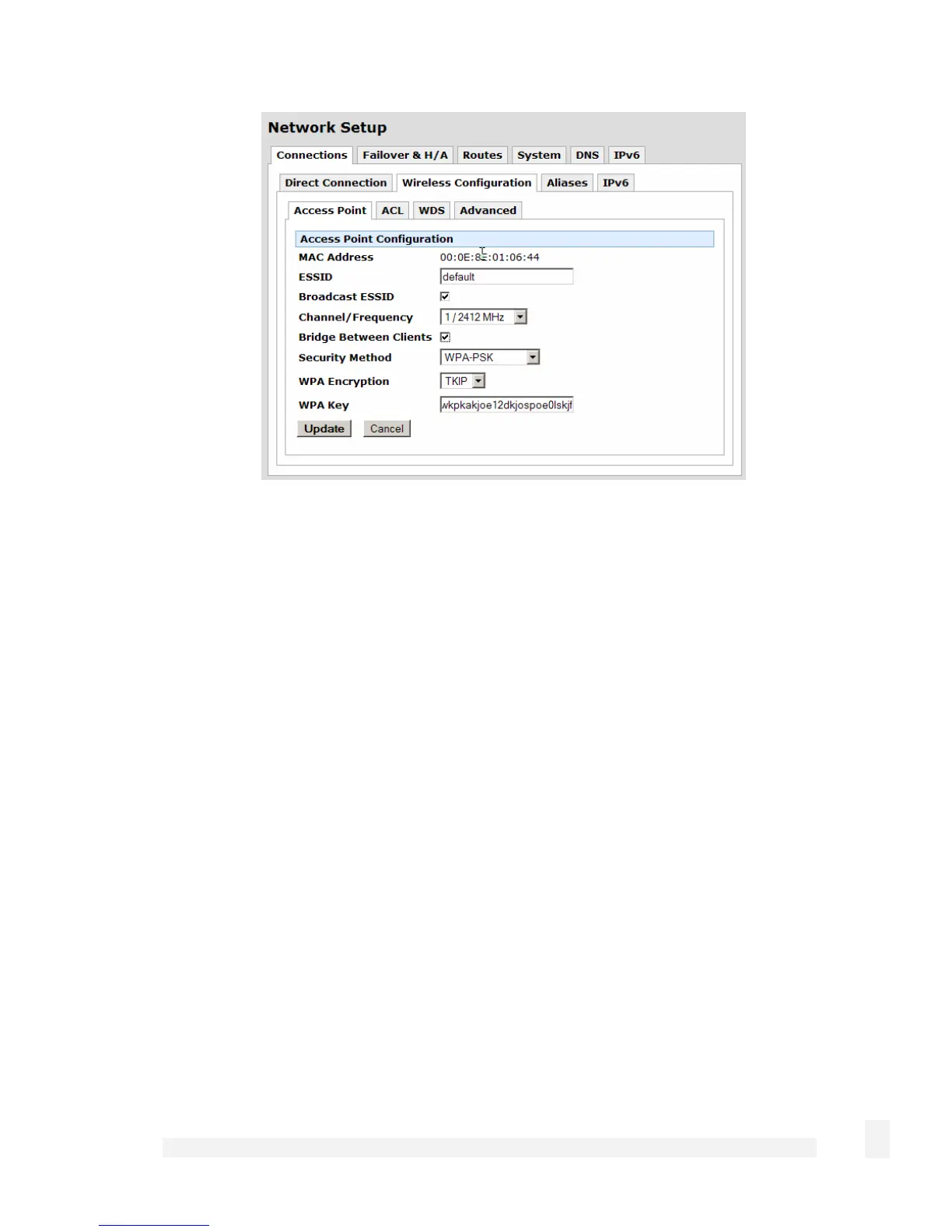
Click Wireless Configuration. Enter an appropriate ESSID and select a Channel for
your wireless network. Enable Bridge Between Clients to allow wireless clients to
intercommunicate, and there is generally no reason not to Broadcast ESSID. Take note
of the ESSID and Channel, you need them to configure the wireless clients.
Select WPA-PSK as the Security Method, select AES for WPA Encryption if your
wireless clients support it, otherwise select TKIP. Enter a WPA Key of 8 to 63 ASCII
characters, or 64 hexadecimal characters. Take note of the WPA Key and WPA
Encryption method, you need them to configure the wireless clients.
Click Apply. Click ACL.
88
Network Setup



 To Next Page