SECURUS MONITORING SOLUTIONS |
A Satellite Tracking of People LLC Company
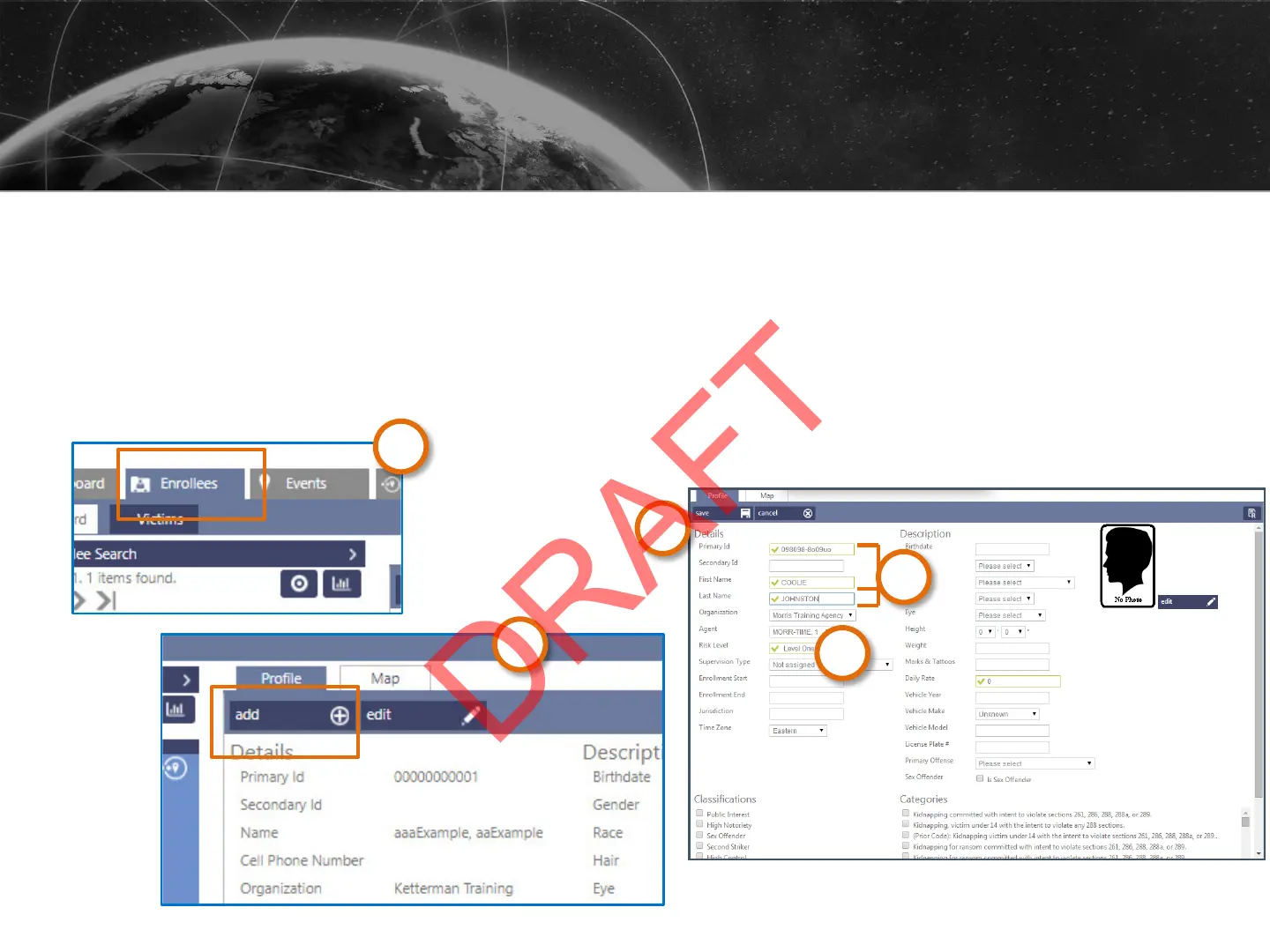
1. Click the Enrollees tile.
2. Click Add.
3. Fill in the required fields: Primary ID, First Name, and Last Name.
4. Confirm or change the Organization, Agent, and Risk Level.
5. Click Save.
CREATING AN ENROLLEE PROFILE
3
4
5
24
1
2



 To Next Page