SECURUS MONITORING SOLUTIONS |
A Satellite Tracking of People LLC Company
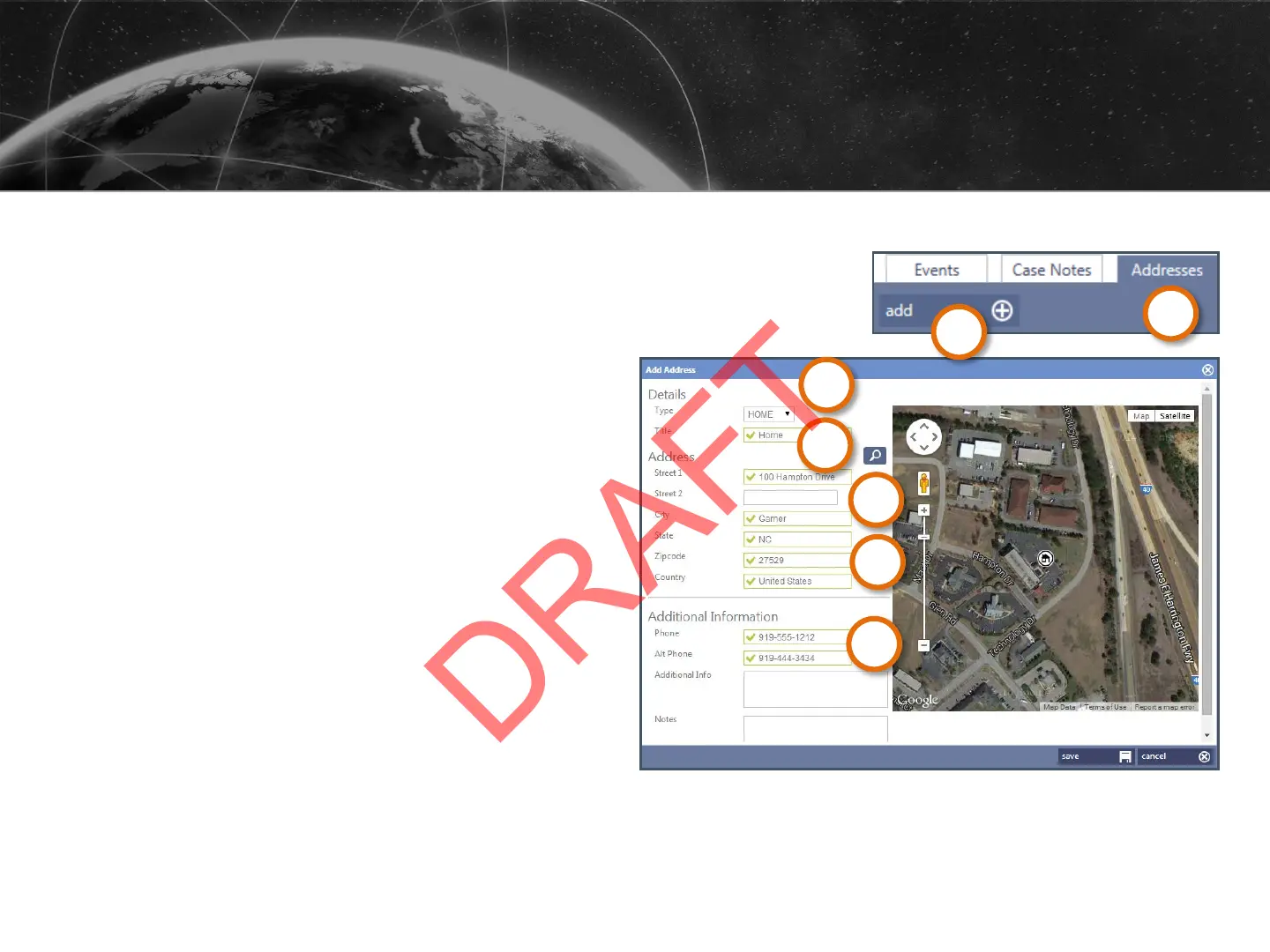
1. Under the profile, click
Addresses.
2. Click Add.
3. In the Type list, choose Home,
Work or Other.
4. Enter a Title for the address (e.g.
Home, Work, etc.).
5. Fill in the Street 1 box.
6. Type the City, State, and Zip
Code.
7. In Additional Information, add
Phone
ADDING ENROLLEE ADDRESSES
1
2
3
4
5
6
7
26


 To Next Page