4.
SOFTWARE OVERVIEW
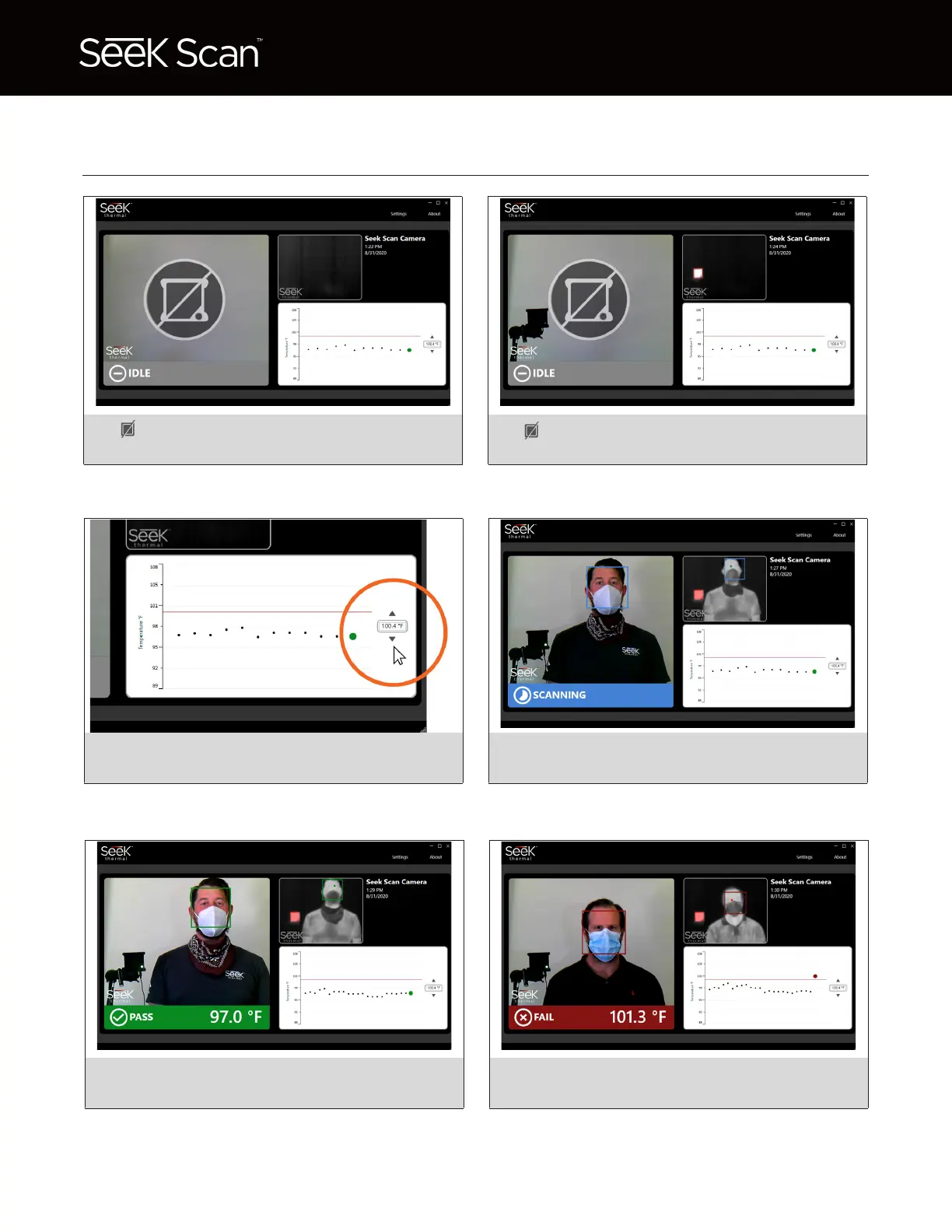
The heat source is not detected in the scene
and measurements will not be taken.
1. 2.
Set a custom alarm by clicking up & down
arrows. Switch from F to C in settings menu.
3.
Blue box means the camera has detected a
face and is measuring skin temperature.
4.
Green box means estimated body temperature
is below the alarm temperature.
5.
Red box means estimated body temperature
is above the alarm temperature.
6.
The heat source has shifted in temperature
and measurements will not be taken.


 To Next Page