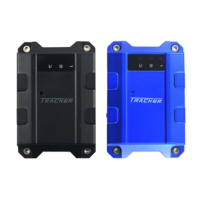
When SOS button is long pressed, Track will send alarm to location center, and send a
SMS message and make phone call for emergency help. The phone number can be set
by the users.
When 1 2 3 button is long pressed, Track will make normal phone call. The phone
number can be set by users. The phone number list can be set by SMS command.
(3) Conversation Function
Call In: One can make phone call to Track by simply dialing the SIM card number.
To receive the incoming phone call
To refuse the incoming phone call
Call Out: Track has four speed dial; you can long press preset 4 sets of phone
(4) Connect to www.imecare.com
TRACKER will connect to www.imecare.com automatically per 5 mins to report its
position info and fetch the new configuration. Ensure that Track has been registered on
the www.imecare.com .
Step1. Register your Track device on www.imecare.com to get username and password.
The device IMEI number is required. The IMEI number is printed on the back of Track.
Step2. Check preset APNs list (Appendix 2)
If your GSM operator’s APN is not in this list, please set APN by SMS (Preference 5.2.1)
Step3. When APN is set, Track will connect to www.imecare.com automatically per 5
mins to report its pos info to center. You can login www.imecare.com web sit to trace the
Track.
5 SMS Command
TRACKER will only accept commands from a user with the correct password.
Commands with wrong password are ignored. The default password is 000000.



 To Next Page