EasyManua.ls Logo

Sega Mega Drive - Page 7

Sega Mega Drive
82 pages
Print Icon
To Next Page IconTo Next Page
To Previous Page IconTo Previous Page
Loading...
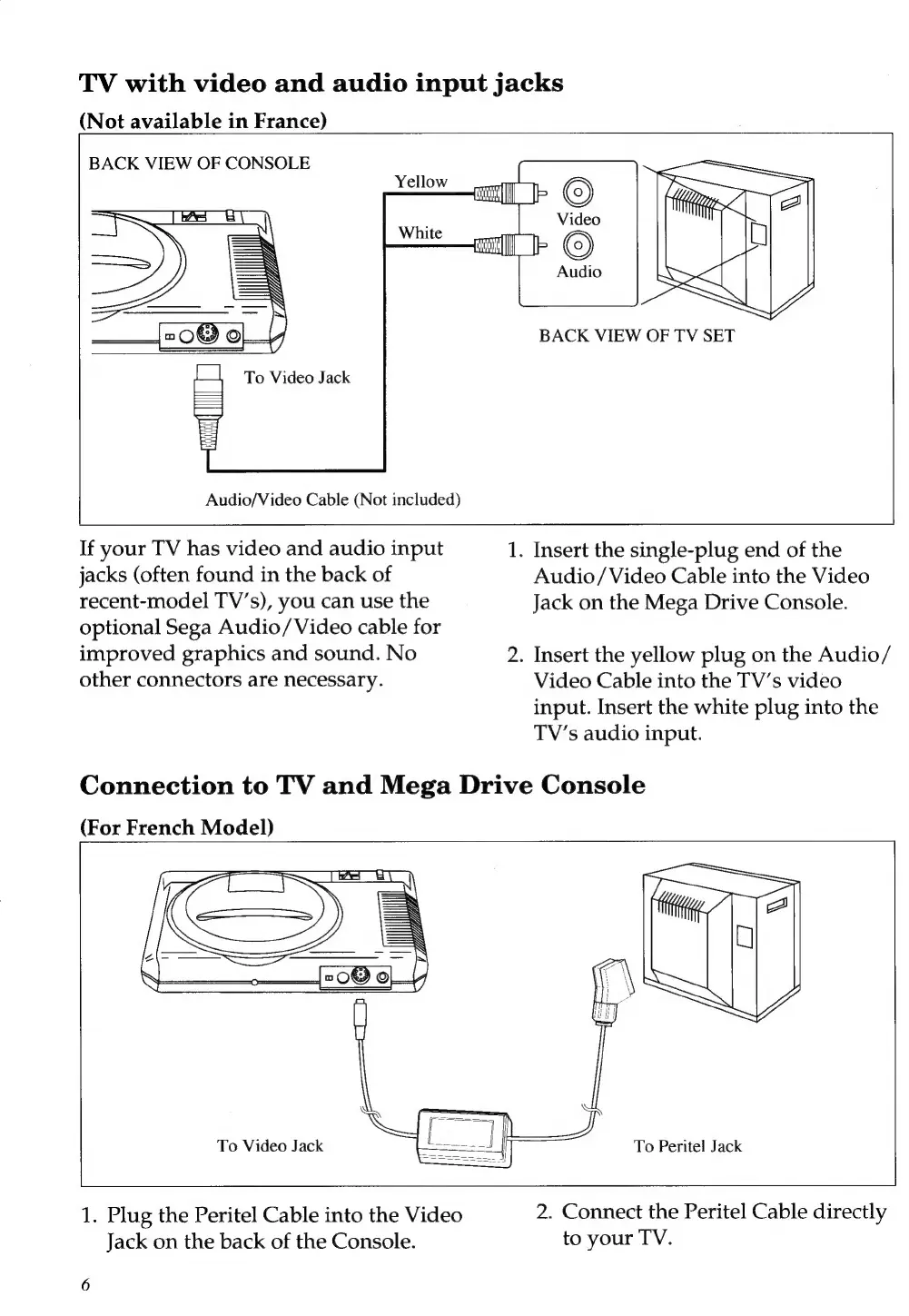
TV
with
video
and
audio
input
jacks
(Not
available
in
France)
BACK
VIEW
OF
CONSOLE
BACK
VIEW
OF
TV
SET
To
Video
Jack
Audio/Video
Cable
(Not
included)
If
your
TV
has
video
and
audio
input
1.
Insert
the
single-plug
end
of
the
jacks
(often
found
in
the
back
of
Audio/Video
Cable
into
the
Video
recent-model
TV’s),
you
can
use
the
Jack
on
the
Mega
Drive
Console.
optional
Sega
Audio/Video
cable
for
improved
graphics
and
sound.
No
2.
Insert
the
yellow
plug
on
the
Audio/
other
connectors
are
necessary.
Video
Cable
into
the
TV’s
video
input.
Insert
the
white
plug
into
the
TV’s
audio
input.
Connection
to
TV
and
Mega
Drive
Console
(For
French
Model)
To
Video
Jack
To
Peritel
Jack
1.
Plug
the
Peritel
Cable
into
the
Video
2.
Connect
the
Peritel
Cable
directly
Jack
on
the
back
of
the
Console.
to
your
TV.

Related product manuals