USING
THE
SEGA
GENESIS
SYSTEM
S
OFTWARE
USING
THE
SEGA
GENESIS
SYSTEM
SOFTWARE
Game
Controls
The
Miracle presents music instructions to you in various ways, from standard
sheet music to arcade games. This chapter
exp
lains
how
to use your Sega
Genesis System
Game
Contro
ll
er
to operate the software.
Conlrol
Pad
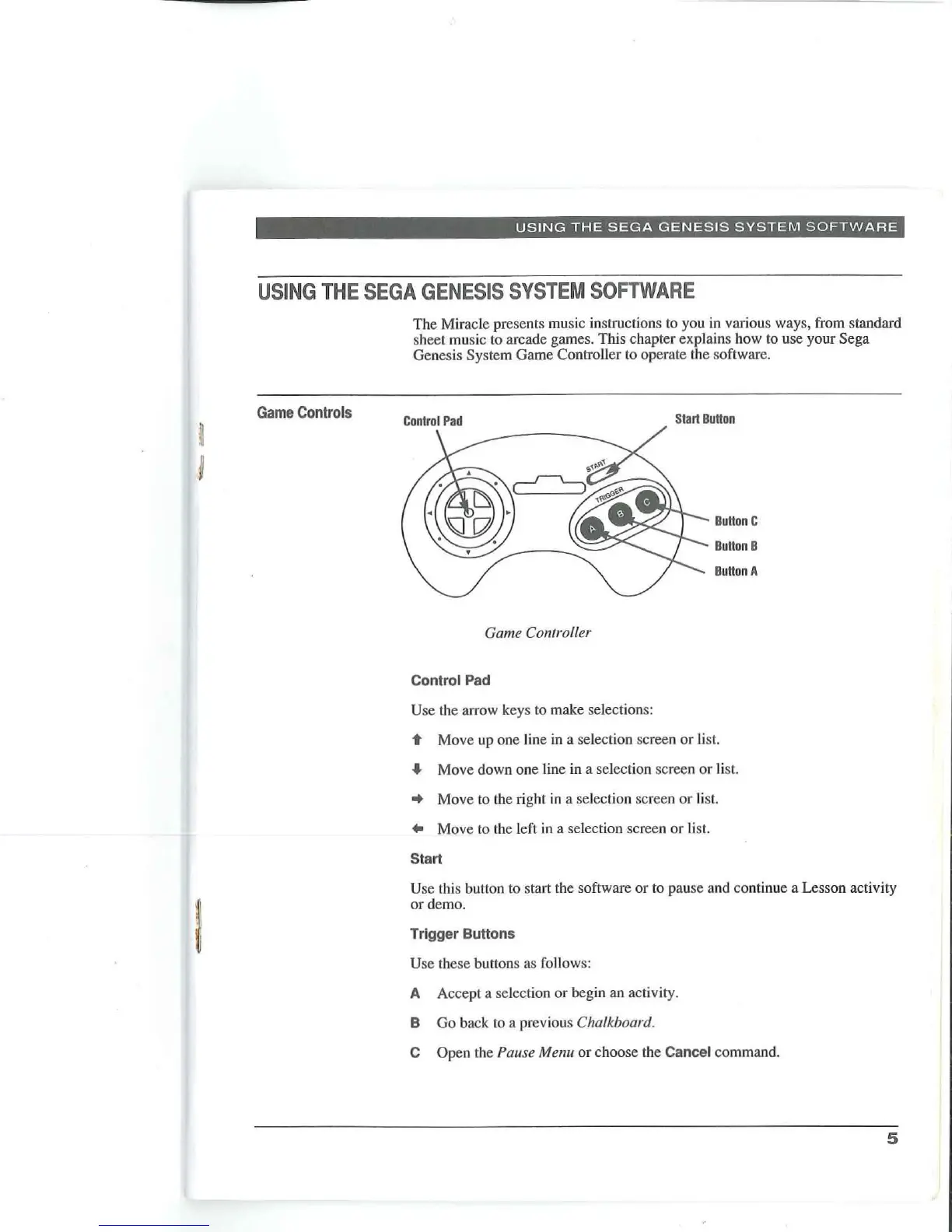
Game Controller
Control
Pad
Use
th
e arrow keys to make selections:
Start
BuHon
BuHon
C
BuHon
B
BuHon
A
't
Move up one line in a selection screen
or
li
s
t.
..
Move down
one
line in a selection screen
or
li
s
t.
• Move to the right in a selection screen
or
li
st.
..
Move to the left
in
a selection screen or list.
Start
Use this button to start the software or to pause and continue a Lesson activity
or
demo.
Trigger
Buttons
Use these bullons as follows:
A Accept a selection or begin
an
activity.
B
Go
back to a previous Chalkboard.
COpen
Ih
e Pause Menu
or
choose
th
e
Cancel
command.
5



 To Next Page