Quick Installation Guide [en] 15
Configuring the UTN Server
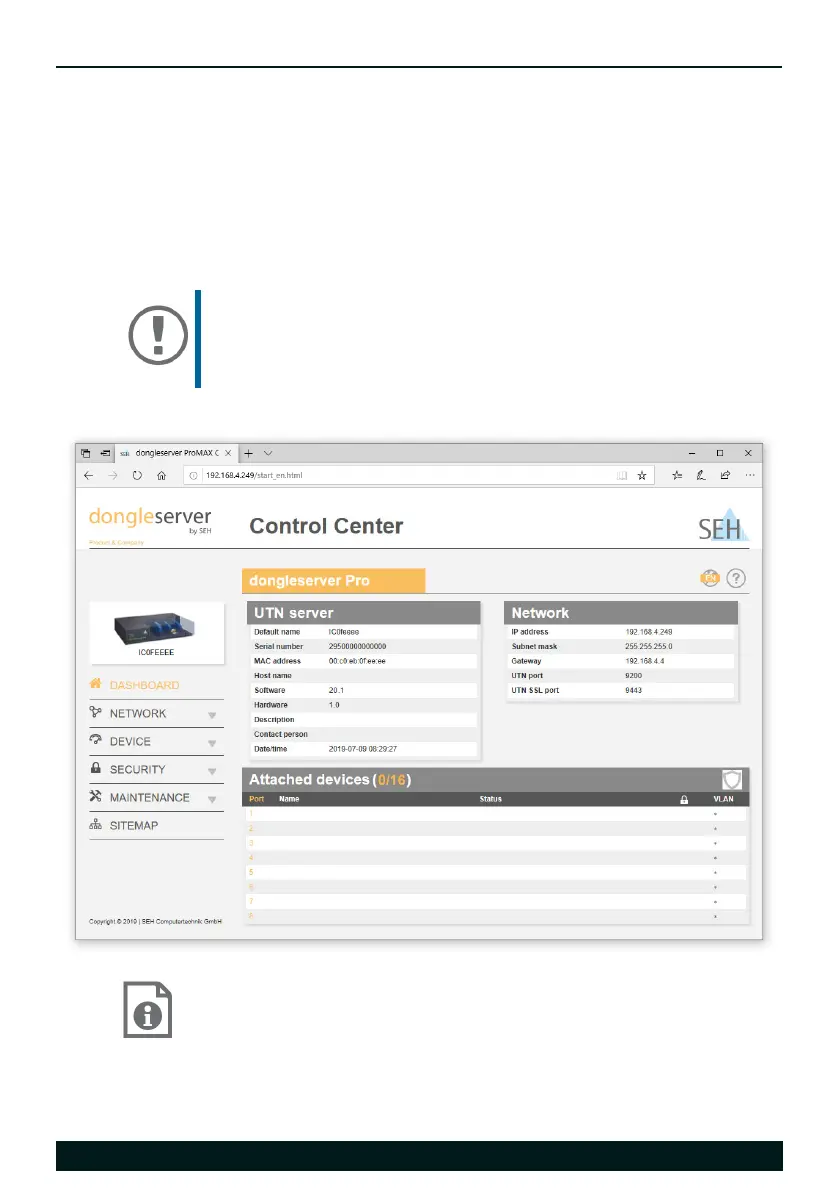
The UTN server has a user interface, the dongleserver Control Center, which can
be opened in an Internet browser (Internet Explorer or Safari).
The UTN server can be configured, monitored, and maintained via the
dongleserver Control Center.
1. Open your browser.
2. Enter the IP address of the UTN server as the URL.
The dongleserver Control Center appears in the browser.
Detailed information about the configuration of the UTN
server can be found in the Online Help of the dongleserver
Control Center.
To start the Online Help, click the '?' icon.
Important:
If the dongleserver Control Center is not displayed,
check if a gateway is configured (
12) and check the
proxy settings of your browser.


 To Next Page