ISD300 User Manual
ISD300 User Manual
Using the Panel Interface
8
Using the Panel Interface
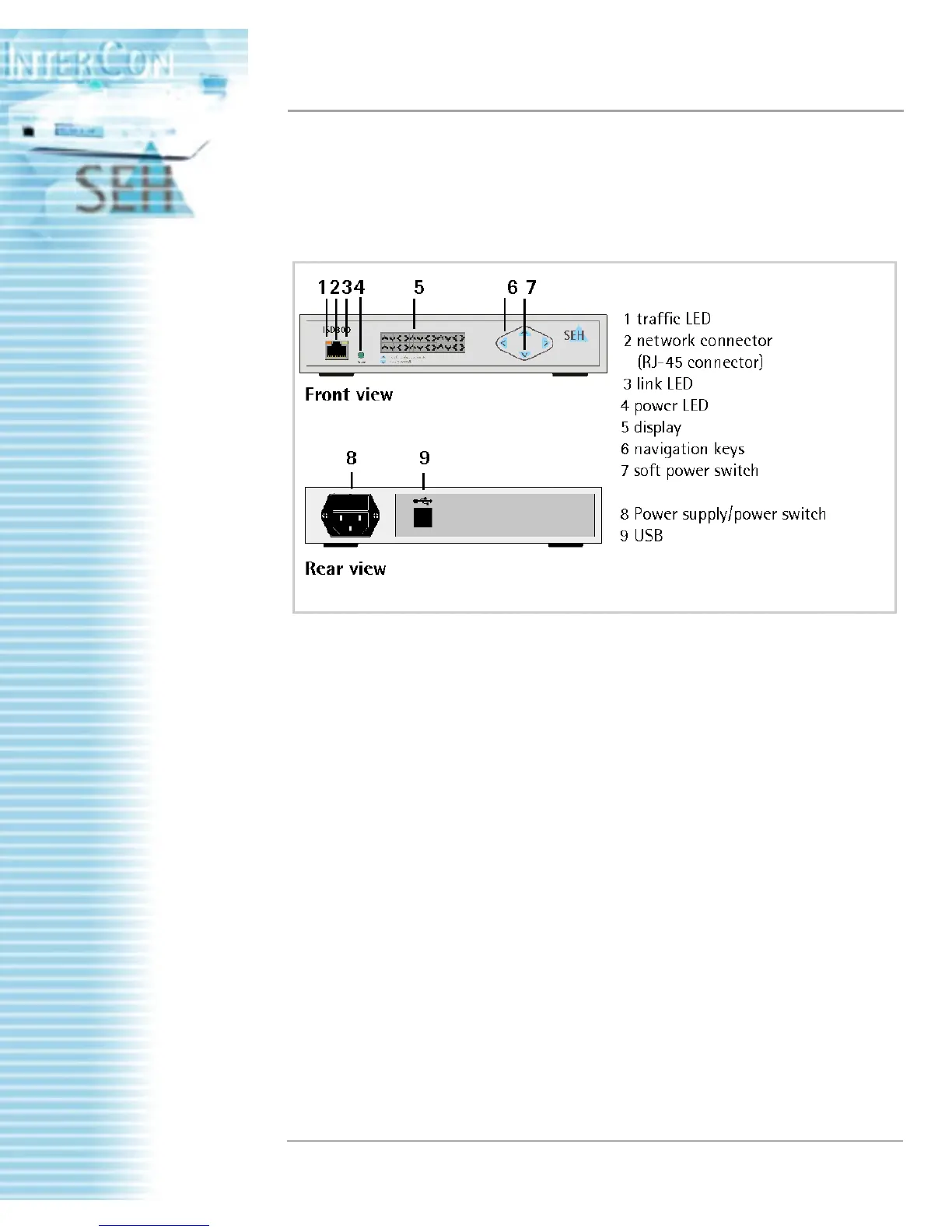
A number of actions can be carried out via the unit’s operating
panel. The figure shows the components of the panel interface.
Figure: ISD300 front and rear view
The ISD300’s operating panel can be protected from unauthorized
access with a 4-digit PIN. The administrator sets the PIN on the
ISD300 Homepage. If the panel is locked, the requested PIN is
entered directly on the device.
The following actions can be carried out via the panel interface:
• How to switch on the ISD300?
• Entering the PIN
• How to get information from the front display?
• How to switch off the ISD300?
• Setting TCP/IP parameter manually via panel interface
• Setting TCP/IP parameter automatically (DHCP) via panel
interface



 To Next Page