EasyManua.ls Logo

Seiko 6M13 - Alarm Functions; One-Day Alarm Setup; Daily Alarm Setup

Seiko 6M13
20 pages
Print Icon
To Next Page IconTo Next Page
To Previous Page IconTo Previous Page
Loading...
position,
the calendar
will automatically be set to the
first day of
the
next
month
(March
lst).
ALARM
1I ONE.DAY
ALARM
r
The
one-day
alarm can be set to
ring once at a
designated time
and date
within a month.
lt can
be
set
on
a
24-hour basis.
*
lf the alarm
is set to ring
on
the dates
below,
it
may ring on the desig-
nated date of the
next
month.
.
31st
of months
with
30 or fewer days
.
29th,
30th
or 31st of February
(30th
and 31st
in leap
years)
*
Once
set, the
alarm
is automatically engaged
and cannot be canceled.
*After
having
rung
at a
designated
time, the alarm
is
automatically
disengaged
and will not
ring
again
unless
newly
set.
*The
alarm
rings in any mode,
but
it
will
not ring
if
the crown
is at the
extended
position.
.
Turn
thecrownto
setthe
mode
indicatorto'ONE
DAYALARM". Thetips
of the
hour
and
minute hands indicate
the current
time, the tail of the
aaannd hlnrl inrlinatac tha rlaw nf +ha rrraalr anrl tha
^rr.rant
r{.ata annaarc
24-hour
ha
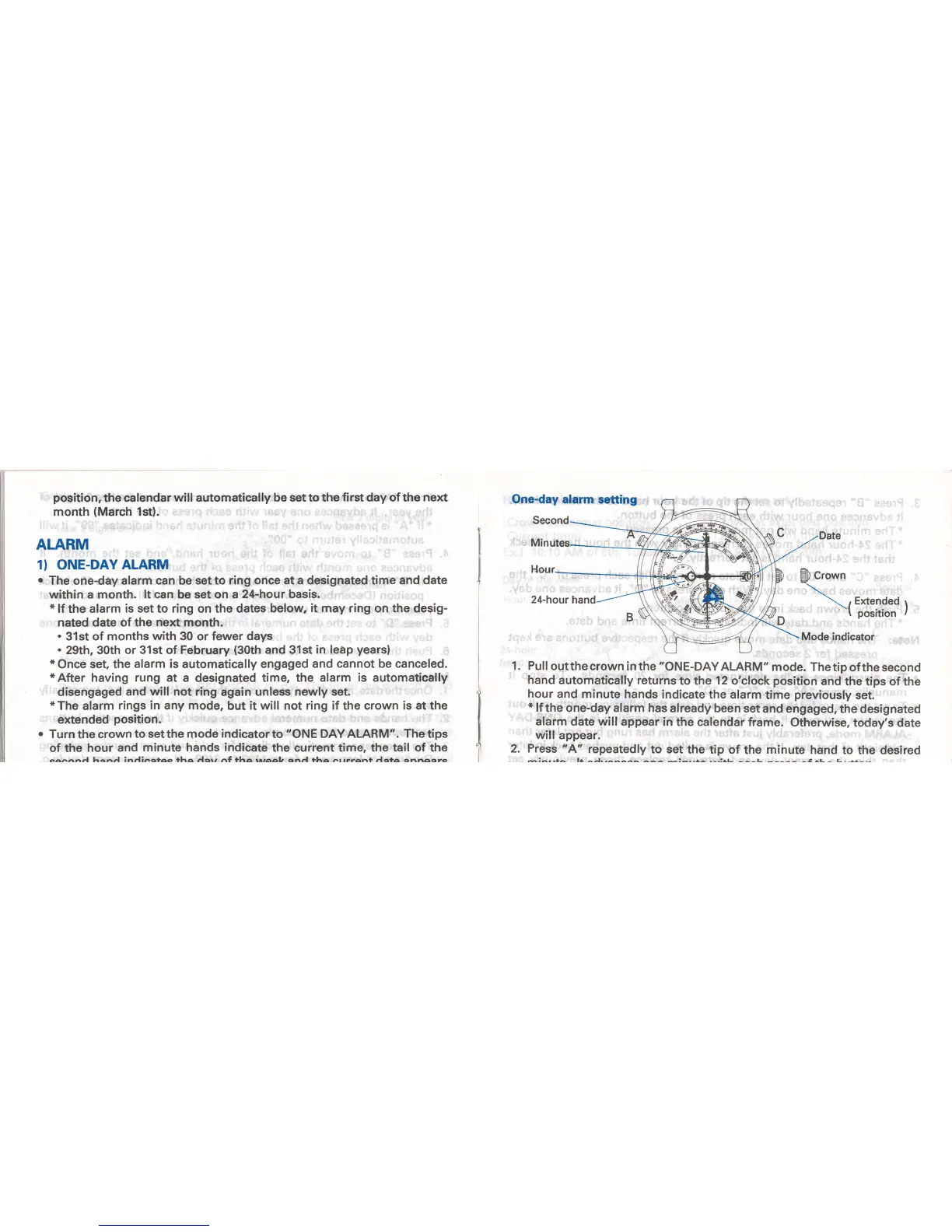
Pull
outthe
crown in the
"ONE-DAYALARM"
mode.
Thetip
ofthe second
hand
automatically returns
to the
12
o'clock
position
and
the tips of the
hour
and minute trands
indicate
the alarm
time
previously
set.
*
lf
the one-day alarm
has
already been set
and engaged,
the designated
alarm
date will appear
in
the
calendar
frame.
Otherwise,
today's
date
will
appear.
Press
" A' repeatedly
to set
the tip
of the
minute
hand
to the desired
minr r+a l+
^-1.,^-^^
-i-..+^
.^.:.L
^^^L ^t
rl-^ l-..g--
Date
$
cro*n
\ , Extended r
-(
po"iti-
I
Mode indicator

Related product manuals