EasyManua.ls Logo

Seiko 6M13 - Battery Change

Seiko 6M13
20 pages
Print Icon
To Next Page IconTo Next Page
To Previous Page IconTo Previous Page
Loading...
6.
Push the crown back
in
to the
normal
position.
The tail of
the
second
hand
will indicate the
day
of the
week
of the designated date.
Notes:
1. The hands and date
numeral
advance
quickly
if the respective buttons
are
kept
pressed
for
2 seconds.
2. lf a
nonexistent
day
(e.9.
February 30th)
is
set and the crown is
pushed
back in to the
normal
position,
the calendar
will
automatically be set
to
the
first day of the
next month
(March
1st).
3. Once the
mode
is
changed over to another, the
calendar
designated
in
the CALENDAR
SEARCH mode is no
longer
retained. When the
mode is
changed over
to the CALENDAR
SEARCH again,
the hands will
indicate
the current calendar.
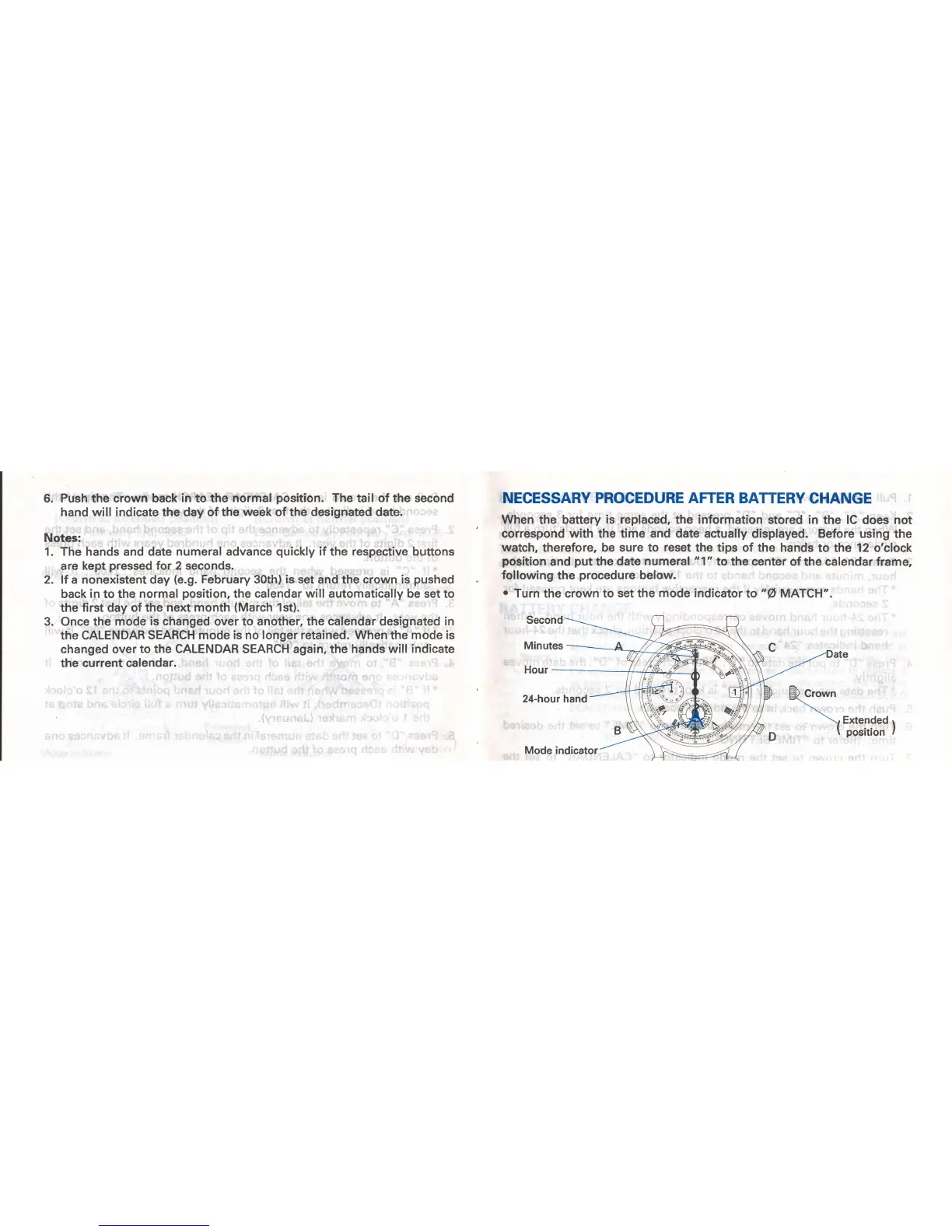
NECESSARY PROCEDURE AFTER BATTERY
CHANGE
When
the battery
is replaced,
the
information
stored in
the
lC
does not
correspond with the time and date actually
displayed.
Before
using
the
watch,
therefore,
be sure to
reset
the tips of the hands
to the 12 o'clock
position
and
put
the
date numeral "1"
to the center of
the
calendar frame,
following
the
procedure
below.
.
Turn
the
crown to
set
the
mode indicator
to
"@ MATCH".
fucro.on
\H*l*""'r

Related product manuals