CALENDAR SEARCH
.
By setting the date, month and
year
from Janu ary 1, 1400
to
December
31,2499, the
day of the
week
of the designated date
will
be
indicated by
the tail of the second
hand.
Note:
The calendar of the watch follows the Julian
calendar from January
1, l40OtoOctober 4,1582and
the Gregorian calendarfrom October
15, 1582 to
December
31, 2499. This is because
the Julian calendar
was revised to the Gregorian calendar
on
October 4, 1582, which
corresponds to October 14
according to the Gregorian calendar.
Therefore, if a
date
from
October 5 to 14 of 1582 is set
in the
CALENDAR SEARCH rnode, it will be automatically
advanced
to
15,
and
"Friday"
will
be indicated
as the day of the
week.
*The
year
when the
Gregorian calendar was
adopted
differs
from
country to country.
o
Turn the crown to set
the mode
indicator
to "SEARCH".
The
tails of
the
hour,
minute and second
hands
indicate
the current
month,
last 2
digits
of the
year
and day,
respectively.
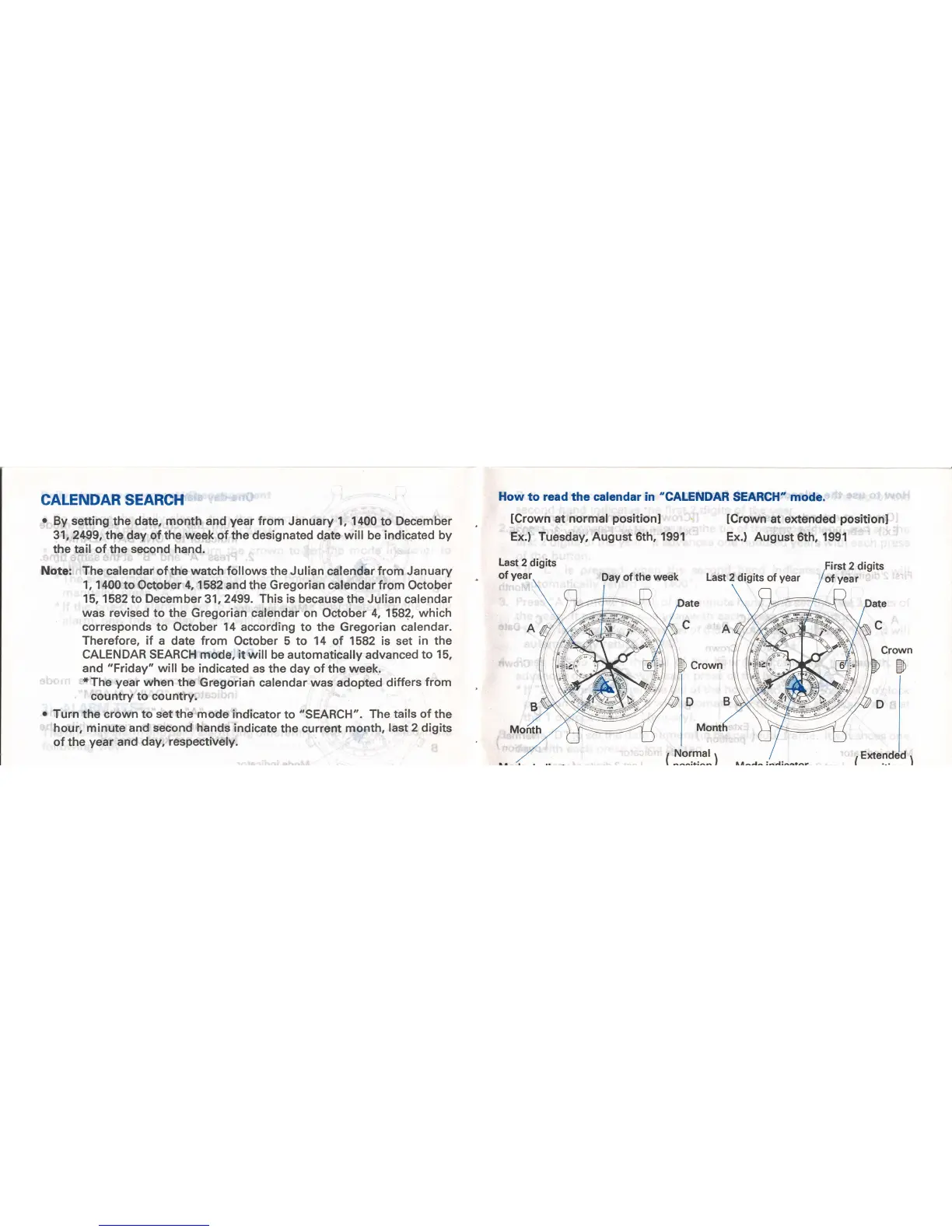
How to read the calendar in
"CALENDAR
SEARCH" mode.
lCrown
at
normal
positionl
Ex.) Tuesday, August 6th, 1991
Last
2 digits
of
year
lCrown
at extended
positionl
Ex.)
August
6th,
1991
First 2 digits
of
year
Day of the
week
Last
2 digits
of
year
l"
B
|
"'"'(
Crown
Eh
\
I
t,
, Normal
'
/
[
^^^t.t^^
I .r^r^ ,'^ur^^rn.



 To Next Page