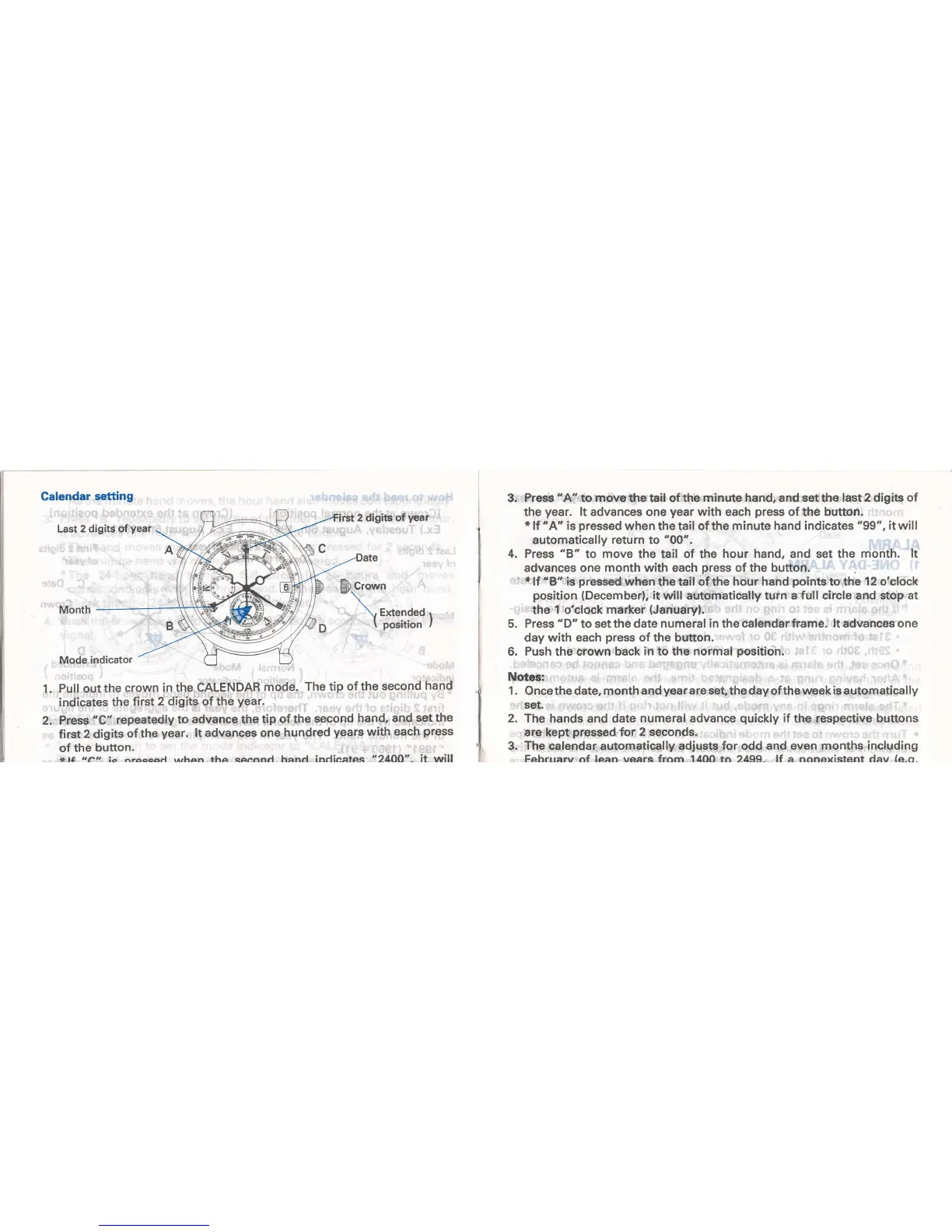
Calendar
setting
Last 2 digits of
year
2
digits
of
year
Mode indicator
Pull out
the
crown
in the CALENDAR
mode.
The
tip
of the second
hand
indicates
the
first
2 digits of the
year.
Press
"C"
repeatedly
to advance
the
tip
of the
second
hand,
and
set the
first
2 digits
of the
year.
lt advances
one
hundred
years
with each
press
of
the
button.
*14
,'ail
ic nraccad rrrhen the second hand indicates '24OO". it will
1.
2.
3. Press 'A" to move the tail of the
rninute hand,
and set the
last 2 digits of
the
year.
lt advances
one
year
with each
press
of the button.
*
lf 'A' is
pressed
when
the tail of the
minute hand indicates
"99",
it will
automatically
return
to
"00".
4. Press
"8"
to
move
the tail of the
hour hand, and set the
month. lt
advancesonemonthwitheachpressofthebutton.
*
lf
"8"
is
pressed
when
the tail
of
the
hour hand
points
to the
12
o'clock
position
(December),
it will
automatically turn a
full circle and stop at
the
1 o'clock marker
(January).
5.
Press
"D"
to setthe
date numeral in the calendarframe.
lt
advances
one
day with each
press
of the button.
6. Push the crown back
in to the normal
position.
Notes:
1 .
Once the date,
month
and
year
are set, the day
of the
week
is
automatica I
ly
set.
:
'
2.
The hands
and date
numeral
advance
quickly
if
the
respective buttons
are
kept
pressed
for 2 seconds.
3.
The calendar
automatically
adjusts for odd and even months
including
Februarv of lean vears from 14OO to 2499- lf a nonexistent dav
(e.o.


 To Next Page