EasyManua.ls Logo

Seiko 6M13 - Page 13

Seiko 6M13
20 pages
Print Icon
To Next Page IconTo Next Page
To Previous Page IconTo Previous Page
Loading...
2.
Press "A" repeatedlyto
setthe
tip of the minute
hand
to the.desired
minute.
lt advances
one minute with
each
press
of
the button.
*
As
the minute hand
moves,
the hour hand
also moves
correspondingly.
3. Press "8"
repeatedly
to set
the tip of the hour hand
to
the
deiired
hour.
It
advances
one hour with
each
press
of the button.
*The
minute
hand will not
move if
"8"
is
pressed.
*The
24-hour
hand moves
correspondingly with
the hour hand.
Check
that the 24-hour hand
is
set correctly.
4.
Push
the
crown back
in
to the normal
position.
*The
hands
and date will
indicate
the current
time and
date.
Note: The
hands move
quickly
if
the
respective
buttons
are
kept
pressed
for 2 seconds.
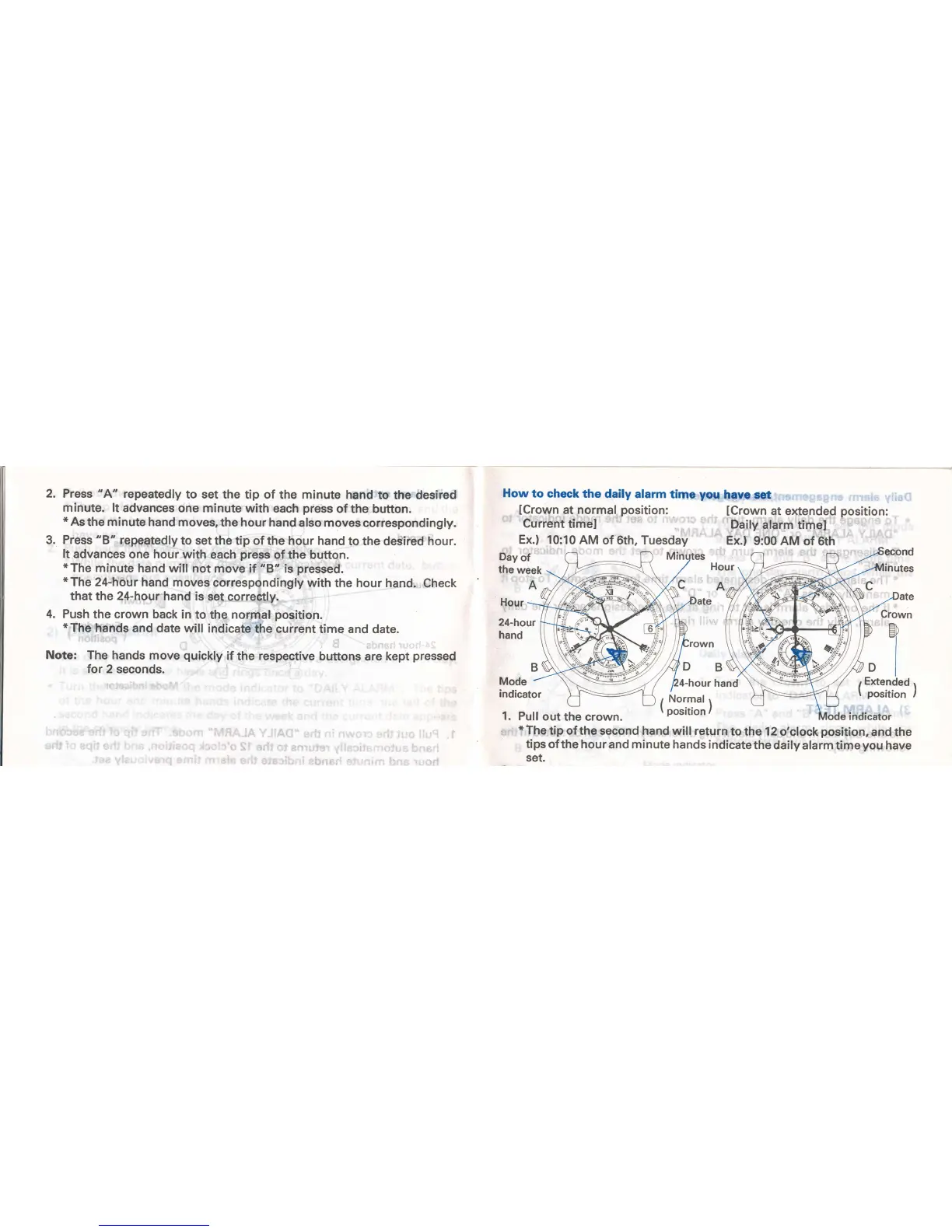
How
to check
the
daily alarm
time
you
have set
lCrown
at normal
position:
Current
timel
lCrown
at extended
position:
Daily
alarm
timel
Ex.) 10:10
AM
of 6th, Tuesday
Ex.)
9:00
AM
of 6th
Day
of
the
week
A
Hour
24-hour
hand
B
Mode
indicator
Hour
A
DB
4-hour
hand
)
/
Crown
ila
I
I
Di
Extended
position
1
Normal
1
I
posttton,
1.
Pull
out the crown.
indicator
*The
tip of
the
second
hand will return
to the 12
o'clock
position,
and the
tips of
the hour and minute hands
indicate
the daily
alarm time
you
have
set.

Related product manuals