WARNING
l
Do not remove the battery from the watch.
l
If it is necessary to take out the battery, keep it out of the reach of children.
If a child swallows it, consult a doctor immediately.
CAUTION
l
Never short-circuit, tamper with or heat the battery, and never expose it to fire.
The battery may burst, become very hot or catch fire.
l
The battery is not rechargeable. Never attempt to recharge it, as this may
cause battery leakage or damage to the battery.
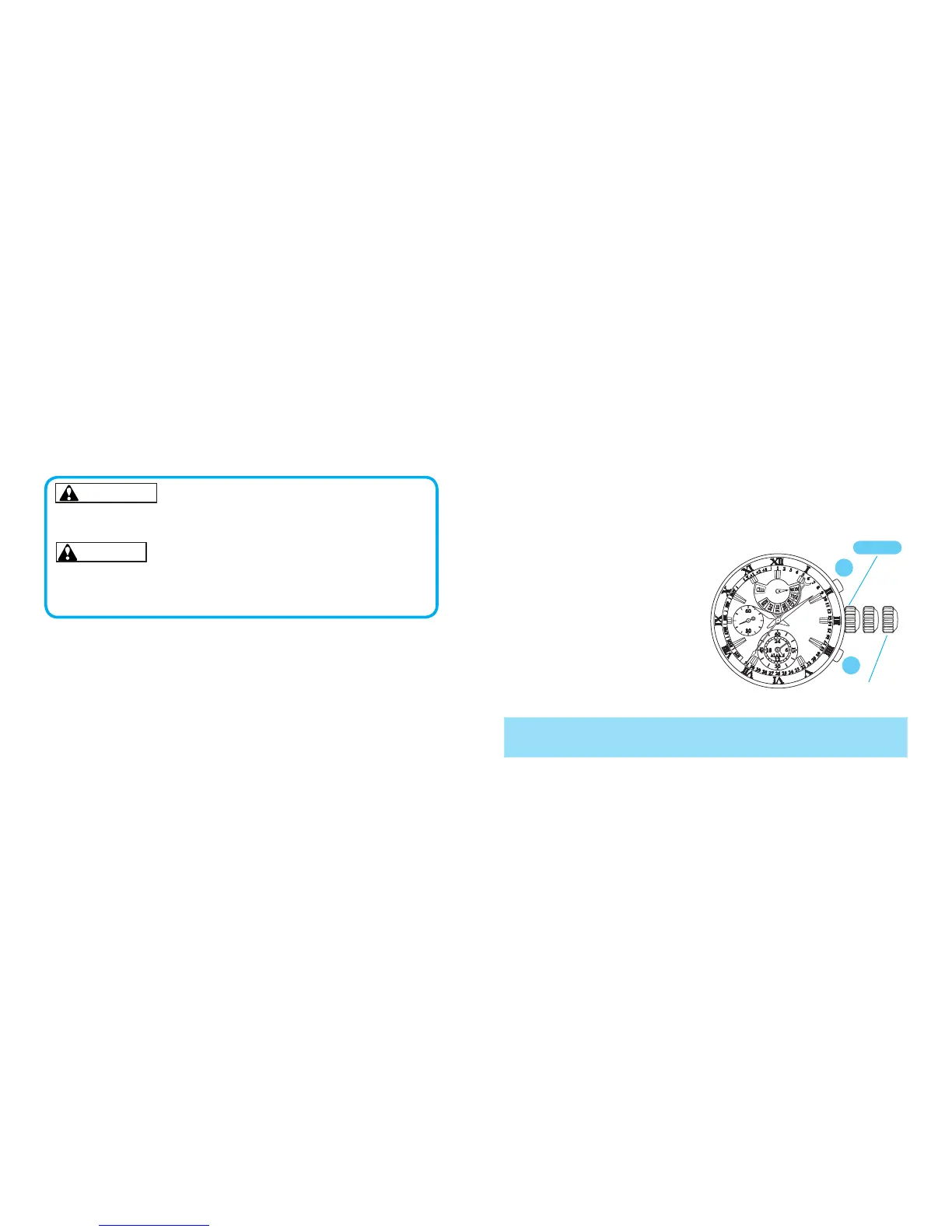
A
B
CROWN
Second click
After the battery is replaced with a new one, or when an abnormal display appears,
follow the procedures below to reset the built-in IC. The watch will resume its
normal operation.
l
How to reset the IC
1. Pull out the crown to the second
click.
2. Press button A and B at the same
time for 2 seconds or longer.
3. Push the crown back in to normal
position and check if the small
second hand moves as normal.
* Resetting the IC will initialize the watch. Before starting to use the watch, it will be necessary to set
the time and adjust each hands to the 0 position. Refer to ”TIME SETTING AND HAND
POSITION ADJUSTMENT” section of this manual.
NECESSARY PROCEDURE AFTER
BATTERY CHANGE



 To Next Page