◆
This watch is designed so that the following adjustments are made with the
crown at the second click position.
1) Time settings for main dial and alarm sub dial.
2) Hand position adjustment for alarm hour and minute hands, day hand and
calendar hand.
▲
▲
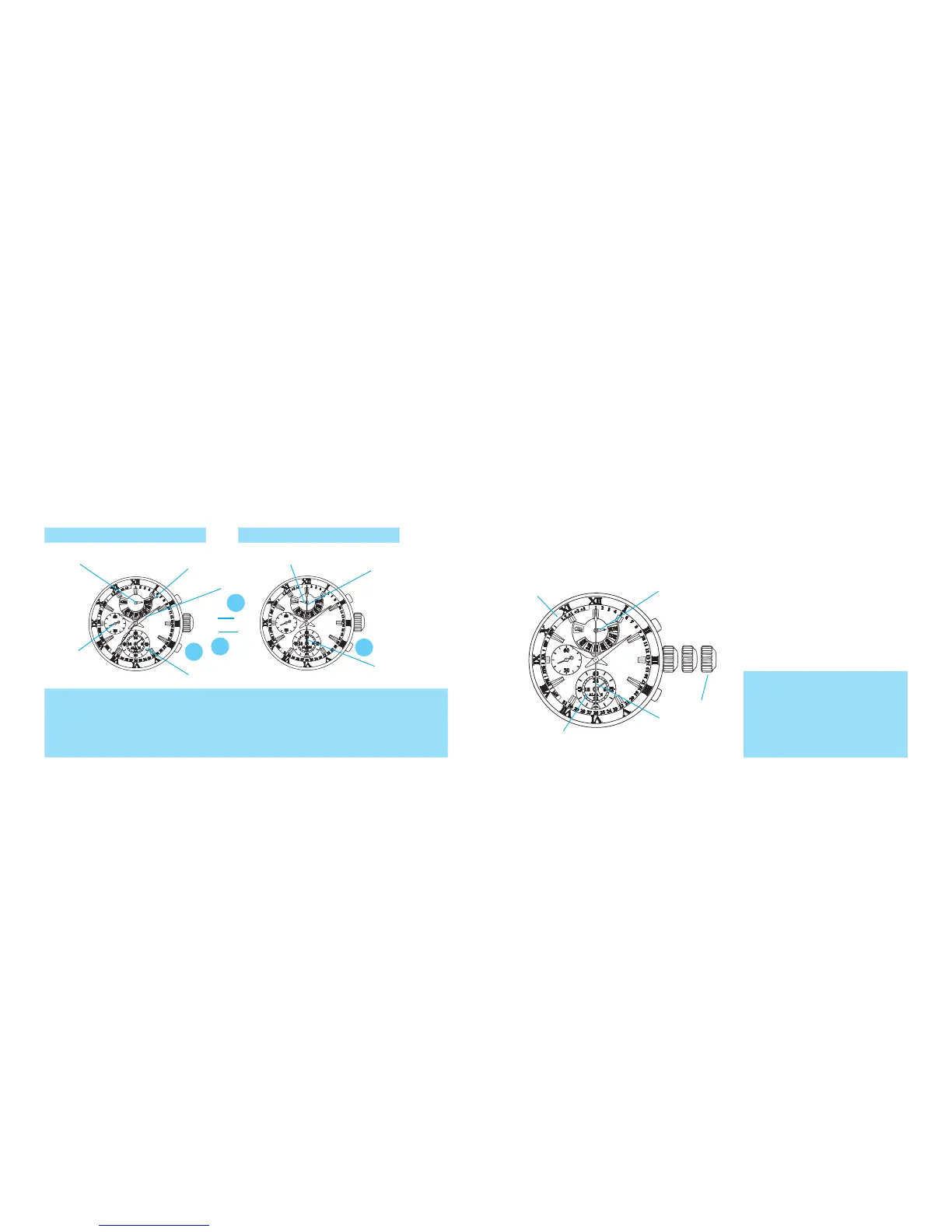
Alarm sub dial (Alarm hour
and minute hands)
Second click
B
B
B
Main dial
Day hand
Calendar hand
◆
With each pressing of the button B, the display mode changes between the
CALENDAR/ALARM mode and the STOPWATCH mode alternately.
HOW TO CHANGE THE DISPLAY MODE
Calendar hand
Day hand
CALENDAR/ALARM
MODE
STOPWATCH MODE
* When the display mode is switched, the function of the hands will change accordingly.
* Before switching the display mode from the STOPWATCH mode to the CALENDAR/ALARM
mode, make sure that the stopwatch has been reset.
* While the stopwatch is counting, the button B is used for ”SPLIT,” “SPLIT RELEASE,” or
”RESET” functions.
Minute hand
Alarm sub dial
TIME SETTING AND
HAND POSITION ADJUSTMENT
Mode indicator
Stopwatch
hour and
minute hands
Small
second
hand
* When all the hands are correctly
positioned, there is no need to
adjust their positions.
*
When any hand requires its
position
adjustment, complete
the hand position adjustment
procedure first, and then move on
to the time setting procedure.
Stopwatch
second hand
B


 To Next Page