English
8
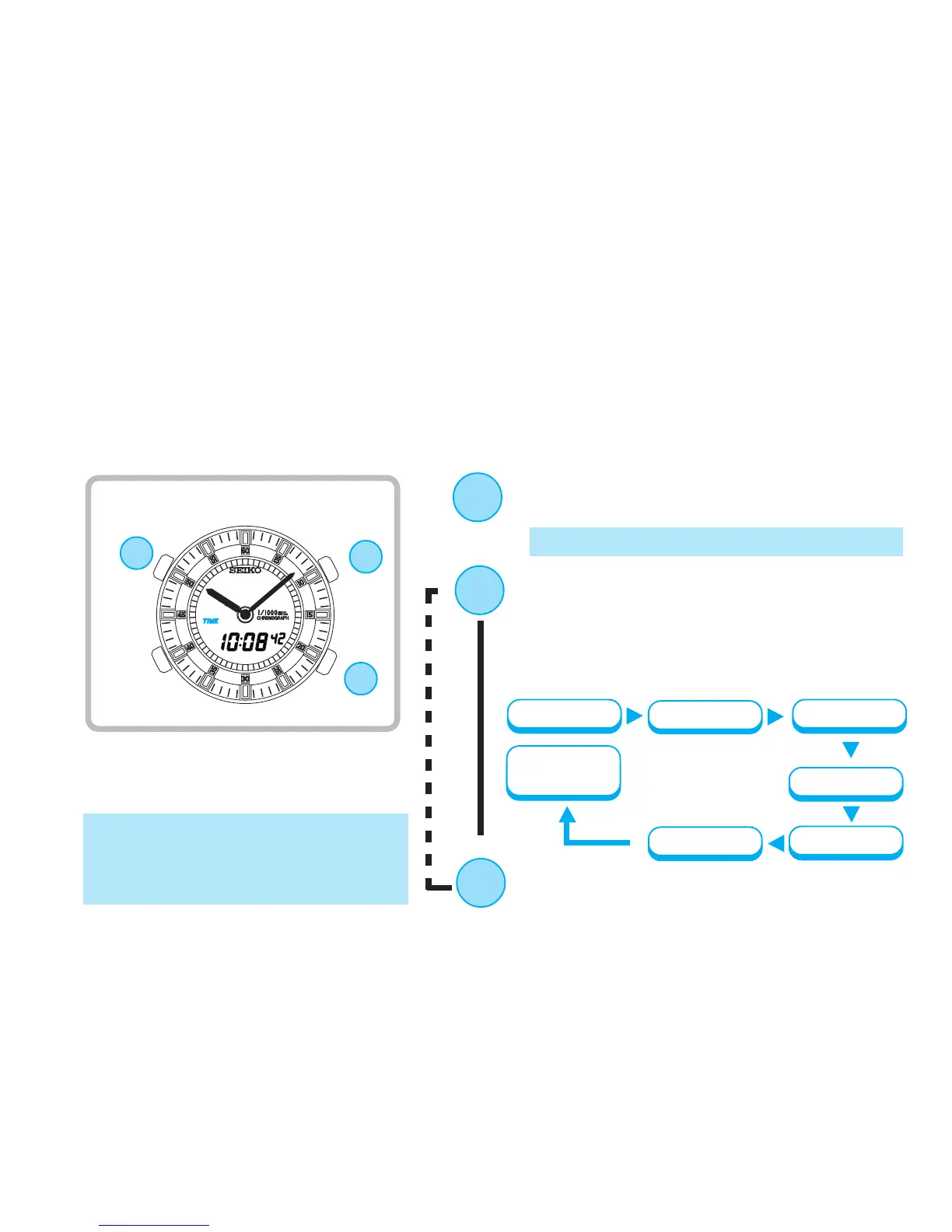
Press to select an item(flashing) to be
adjusted. With each press of the but-
ton, a flashing item changes over in
the following order
(See *1 on page 22)
Minute
Second
12-/24-hour
display
Year
Date
Month
Hour
Digital time/calendar setting
D
▲
TIME/CALENDAR SETTING
* The second digits start flashing.
Press for 2 to 3 seconds to show TIME/
CALENDAR SETTING display.
B
● Set the digital time first before setting the analogue time, as the hour and minute
hands move together with the digital time.
● If the digital time display cannot be seen because of positions of the hour and
minute hands, advance them by pressing button D before setting the digital time.
D
B
▲
▲
C
C
Press to adjust the selected item.
(See *2 on page 22)
* Seconds setting
By pressing the button,the seconds
are reset to "00" and start counting
immediately.


 To Next Page