5. HOW TO PROGRAM THE TIME STAMP
6
5
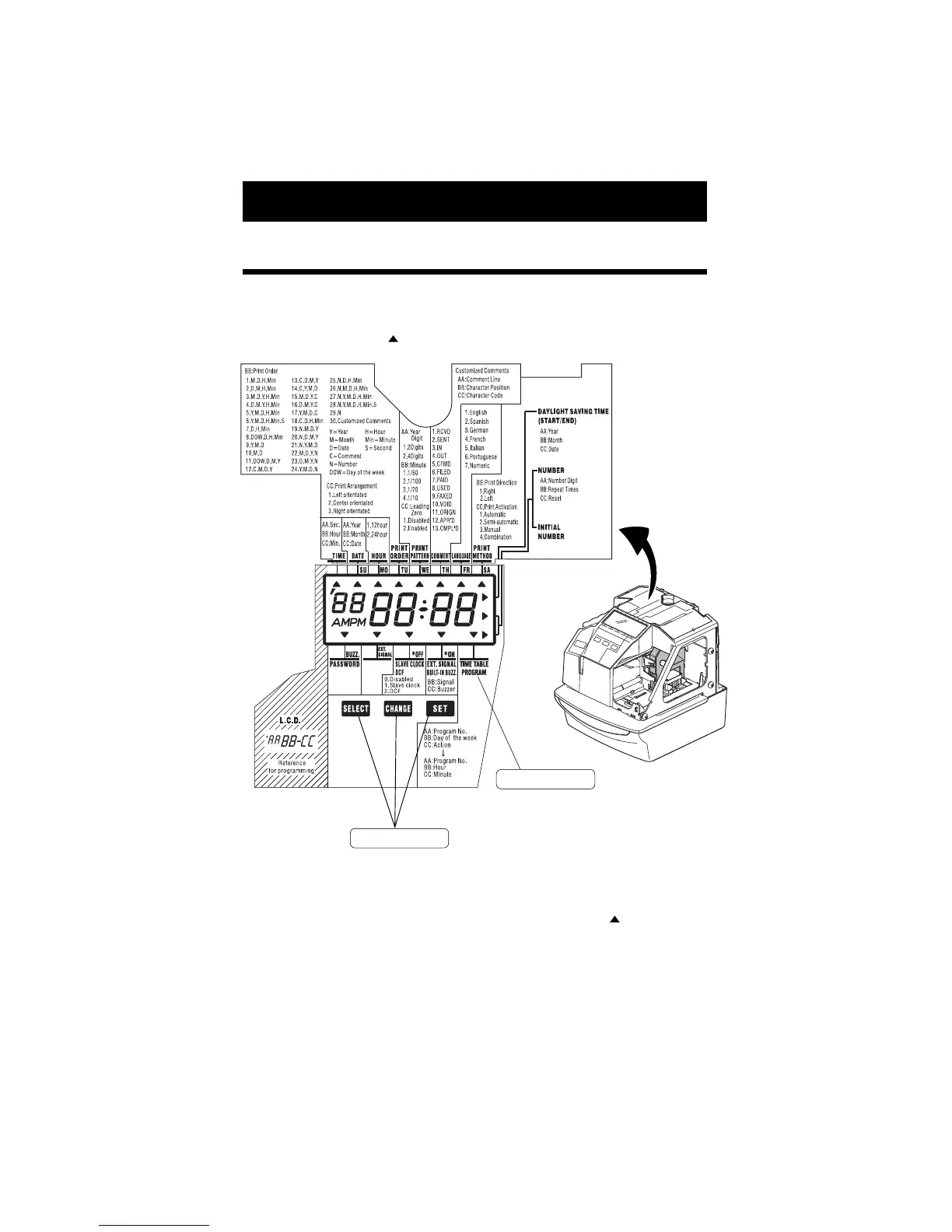
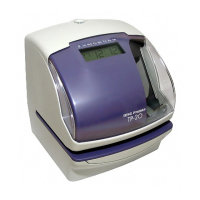
To enter the program setting mode, you must plug the AC cord into the AC outlet and remove
the cover. Next press the [SELECT] button once. Then the Time Stamp goes into the
program mode showing the " "on the display positioned under the "TIME" mark.
Function of 3 control buttons
[SELECT]: You can select the desired program setting mode by pressing this [SELECT]
button. Selected program setting mode is indicated by the " " on the display.
[CHANGE]: When you press the [CHANGE] button, you can increment the set value.
[SET]: You can set the value selected on the display by pressing the [SET] button.
Thereafter you press this [SET] button again, you can return the Time Stamp
to the normal operation mode.
Control buttons
Program modes


 To Next Page