EasyManua.ls Logo

Seip TS 100 - User Manual

Default Icon
8 pages
Print Icon
To Next Page IconTo Next Page
Loading...
User Guide for the users of the
garage door operators
Please read this user guide before using your operator.
Please read carefully the security advises on the following pages!
Please ll in the serial number of your operator:
(You will nd the serial number on your operator)
Factory controlled by:
(The number describes the person who
made the nal controls on this operator)
English
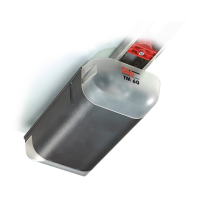
TM 60
TS 75
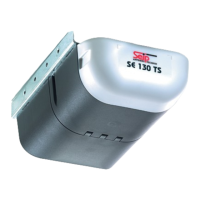
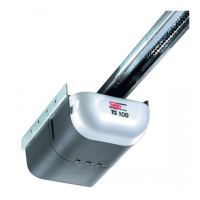
TS 100

Other manuals for Seip TS 100

Questions and Answers

  • F
    Frank DownsSep 3, 2025
    What does 6 x blinking mean on a Seip TS 100?
    • A
      Alyssa McdanielSep 3, 2025
      Six blinks on a Seip Garage Door Opener indicates that either there is an obstacle within the photo cell’s range, or the photo cell isn’t working properly.
  • C
    Curtis GonzalesSep 1, 2025
    What does 3 x blinking mean on a Seip Garage Door Opener?
    • N
      Nancy BuckSep 1, 2025
      Three blinks on your Seip Garage Door Opener indicates that either an obstacle was recognized by the photo cell or the photo cell is damaged. Please also check the photo cells wiring.
  • D
    Diane BeckAug 31, 2025
    What to do if Seip Garage Door Opener emergency release doesn’t work?
    • K
      Kurt HuynhAug 31, 2025
      If the emergency release on your Seip Garage Door Opener isn't working, it might be because the opener switches off under pressure. Ensure that the limit switch is correctly set.
  • K
    Katherine AguirreAug 29, 2025
    What to do if Seip TS 100 operator works, but the door doesn’t move?
    • H
      Heather MurphyAug 29, 2025
      If the Seip Garage Door Opener operator is working but the door isn’t moving, the carriage might be unlocked. To lock it, open the door partially and let the opener run; the carriage should lock automatically.
  • M
    Matthew WellsAug 28, 2025
    Why the Seip Garage Door Opener operator isn’t running smooth?
    • N
      Nathaniel JordanAug 28, 2025
      If your Seip Garage Door Opener operator isn’t running smoothly, the spring tension might be too high, or there could even be a spring fracture. Unlock the carriage of the opener, then move the door manually to ensure it's well-balanced, meaning it should stop at any position.
  • J
    johnwhiteAug 27, 2025
    What to do if Seip TS 100 doesn't work because of a power failure?
    • J
      jasonwelchAug 27, 2025
      If your Seip Garage Door Opener isn't working due to a power failure, unlock the carriage using the emergency release and then open the door manually.
  • C
    caseyjonathanAug 25, 2025
    What to do if Seip TS 100 Garage Door Opener light doesn’t work?
    • S
      Sarah HernandezAug 25, 2025
      If the light on your Seip Garage Door Opener isn't working, try replacing the bulb with a new one (230 V, max. 40 Watt).
  • D
    Denise WilliamsonAug 23, 2025
    What to do if my Seip TS 100 Garage Door Opener is working, but the door isn’t moving?
    • J
      James LopezAug 23, 2025
      If your Seip Garage Door Opener works but the door doesn’t move, it means the carriage is unlocked. To lock it, open the door partially and let the opener run; the carriage will lock automatically.

Summary

Important Safety Instructions for the Users

Using the Operator

Devices

Lists the various devices available for operating the garage door system.

Usage

Explains the OPEN-STOP-CLOSE principle and how the operator responds to impulses.

Programming the Hand Transmitters

Basics

Details about the 433 MHz AM remote control set and rolling code system.

Programming Transmitter and Receiver

Explains the necessity of registering a hand transmitter with the receiver.

Registering the first hand transmitter

Steps to learn the first hand transmitter directly via the operator's main electronic.

Registering additional hand transmitters

Procedure for programming extra hand transmitters remotely.

Clearing the receivers memory

Instructions for clearing all previously programmed hand transmitters from memory.

Additional Information

Usable types of batteries

Details about usable battery types and disposal requirements for transmitters.

Criterias influencing the range

Factors affecting the remote control range, such as old batteries or building materials.

HomeLink Use with a HomeLink System

Information on using the operator with a HomeLink system integrated in cars.

Should a problem occur

Rapid changes normally occur when

Describes situations causing rapid garage door weight changes affecting operator behavior.

When the operators light is blinking

Troubleshooting steps for operator errors indicated by a blinking light.

In case of a power failure

Instructions on how to disconnect the operator during a power outage.

Seip TS 100 Specifications

General IconGeneral
BrandSeip
ModelTS 100
CategoryGarage Door Opener
LanguageEnglish

Related product manuals