TCD02B0001SE 034070 130220
16
USER PARAMETERS SETTING
On the menu “User parameters“ it is possible to congure all the settings of the freetime evo.
Below, there is the sequence to enter the view and/or edit mode of the user parameters.
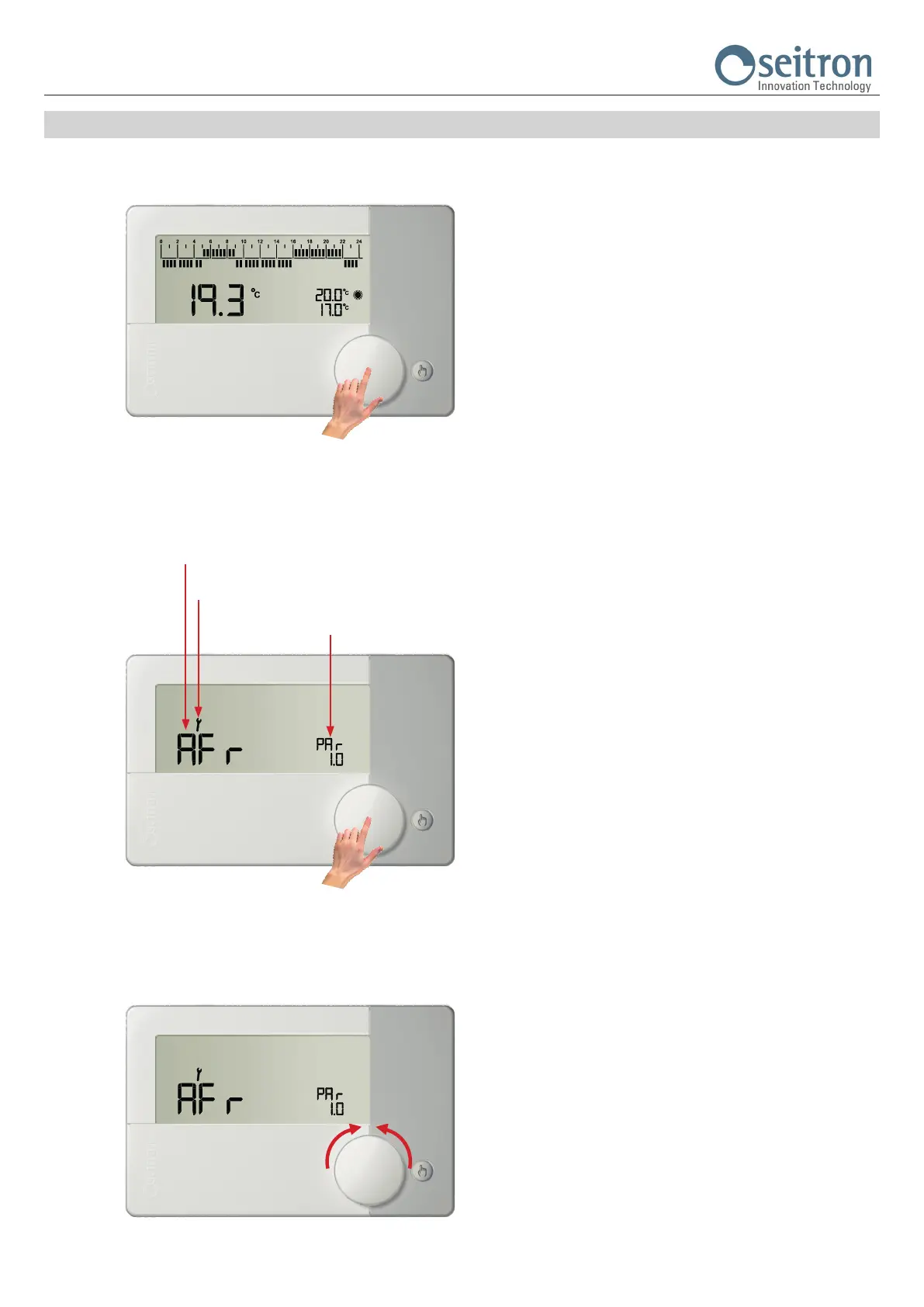
1.
From the normal operation screen,
keep the knob pressed for more than 10 seconds.
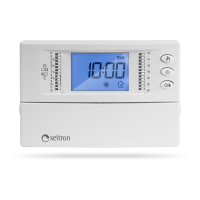
2.
The display shows the rst user parameter.
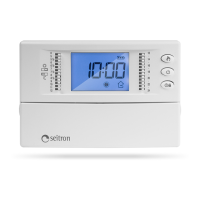
3.
Turning the knob scrolls through the nine available user parameters:
AFr PAR 1.0 Anti-freeze setting
OFS1 PAR 2.0 Internal sensor offset setting
OFS2 PAR 3.0 Remote sensor offset setting
rEG PAR 4.0 Regulation probe
HYSt PAR 5.0 Differential setting (hysteresis)
H_C PAR 6.0 Summer/Winter mode setting
tPI PAR 7.0 PWM output setting
tMIn PAR 8.0 Minimum output activation time (relay)
DFLt PAR 9.0 Reset to default values (Default setting)
Acronym of the parameter
The icon shows that the edit mode is active.
Number of the selected
parameter.


 To Next Page