TCD02B0001SE 034070 130220
17
4.
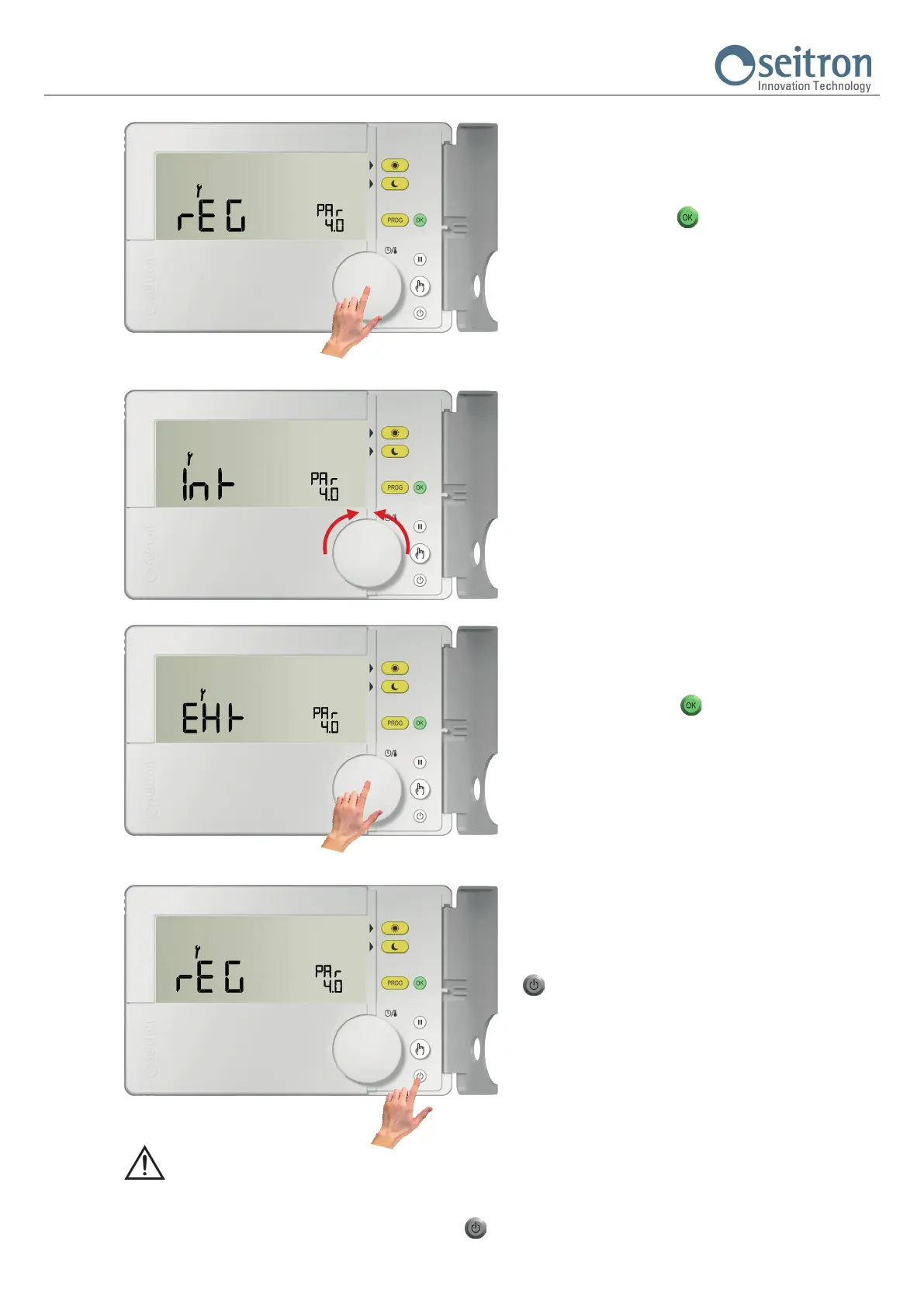
Push the knob or the button “ “ to edit the parameter shown on
the display.
5.
The display shows the set data for that parameter.
Turn the knob clockwise or anti-clockwise in order to modify the
displayed data.
Every change is automatically stored in memory.
6.
Push the knob or the button “
“ in order to exit the edit mode of
the selected parameter.
To continue the conguration of the other parameters repeat from
point 3.
7.
To exit the conguration of the user parameters, push the button
“ “ or wait 10 seconds without pushing any button / knob.
WARNING
- After 10 seconds of inactivity on the keys and/or on the knob, the programmable thermostat exits from user parameters setting
mode and the display goes back to the normal operation screen.
Every change is automatically stored even if the button “ “ is pushed.


 To Next Page