-75-
Stacker unit (printer) preparation
1.
Turn the power off and remove the power cord from the outlet.
2.
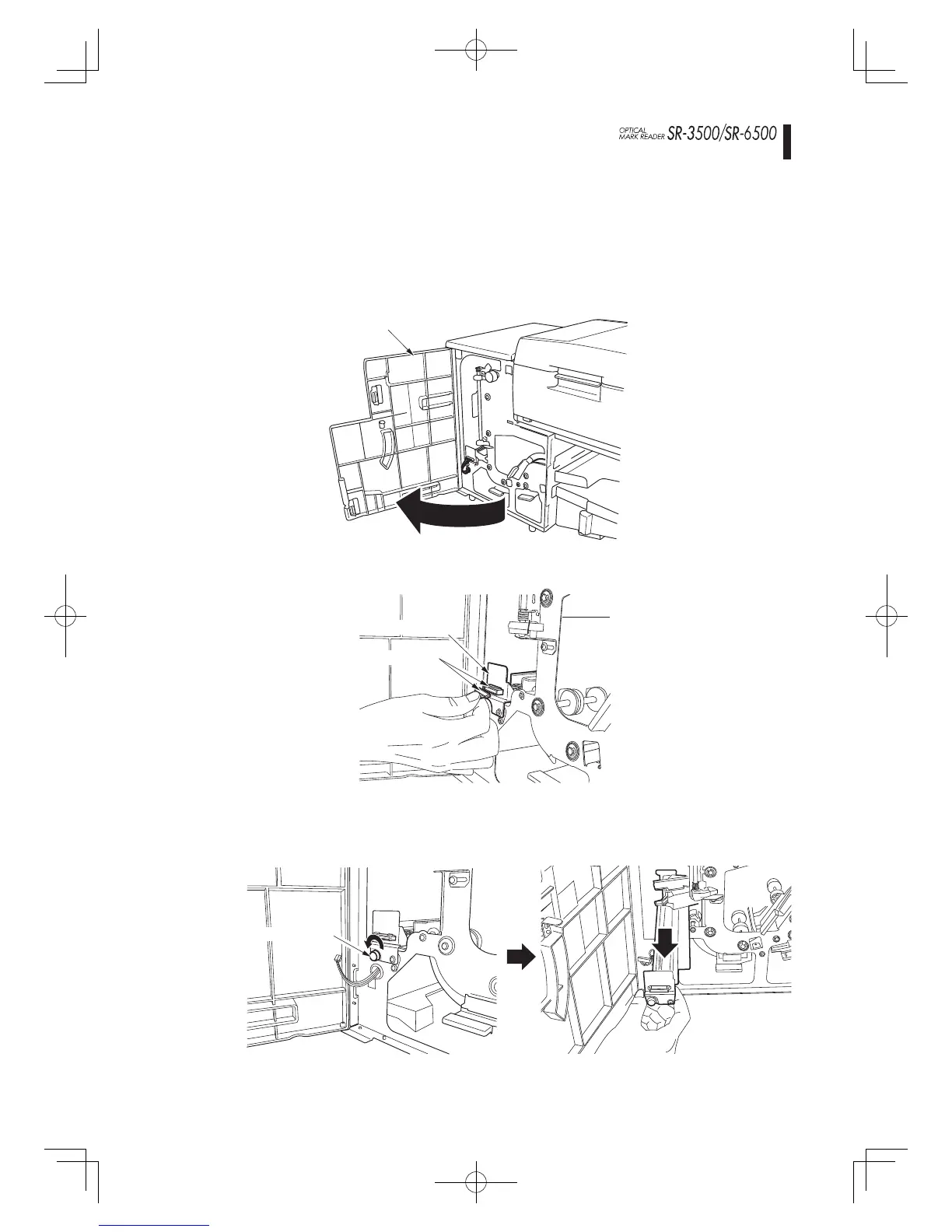
Open the front door of the stacker unit.
Front door
3.
Disconnect the printer connector.
Connector
Printer
4.
Loosen the printer fi xing screw to remove it.
Fixing screw
Options Stacker unit
Stacker unit preparation
SR-3565(E).indd75SR-3565(E).indd75 2007-8-1610:20:492007-8-1610:20:49



 To Next Page