IN0051 Revision 05 (005293)– 17 of 26
POWER PERFORMANCE PASSION
SP PRO Interactive Inverter Charger
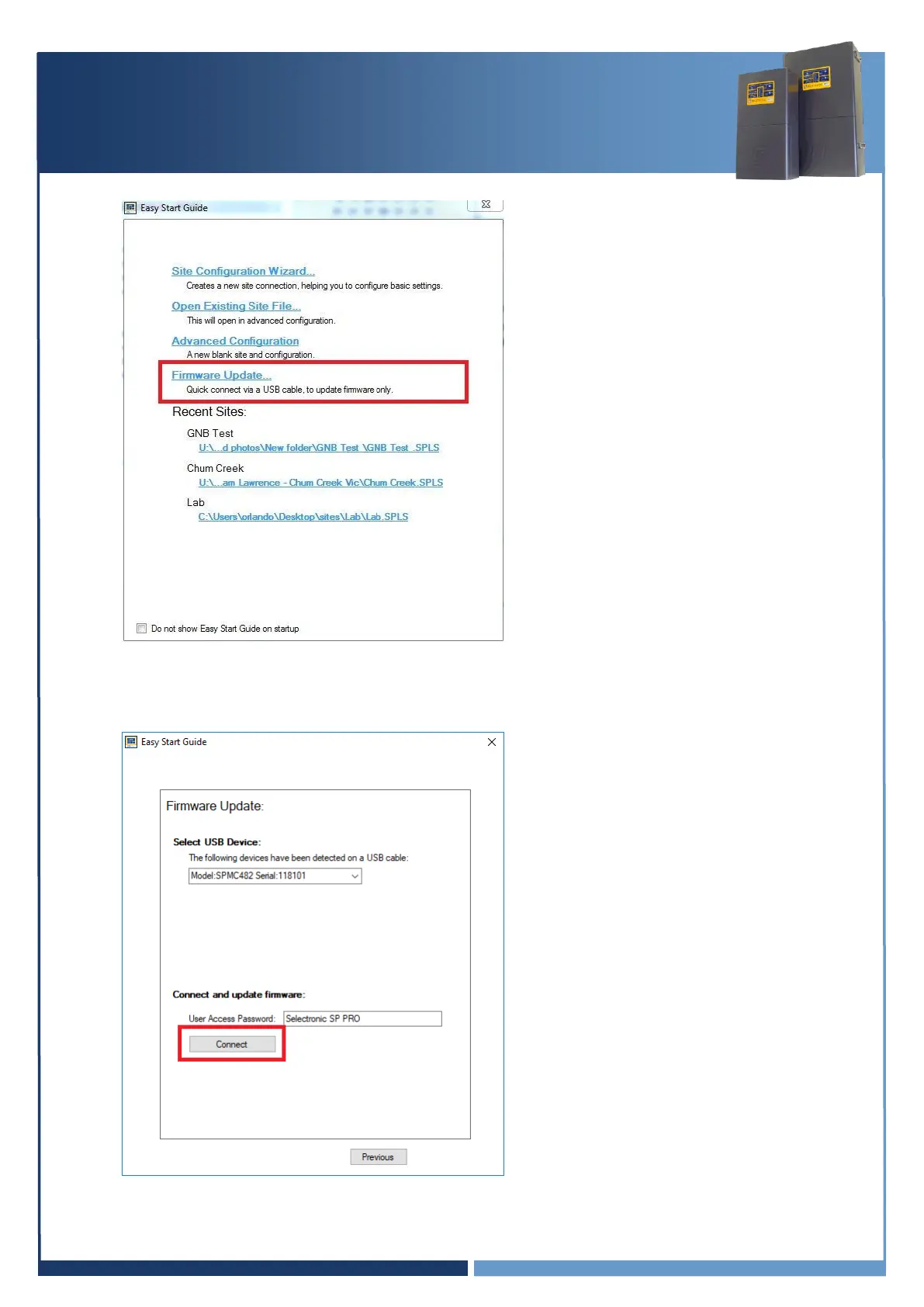
4. Select “Firmware Update…”
5. The Easy Start Guide will automatically detect when the SP PRO is ON and USB cable is plugged
into SP PRO and computer.
Click “Connect” to start the firmware update process.





 To Next Page