ENG
USER MANUAL
15
Empty batteries are indicated with the
symbol on display. We suggest the
battery replacement every 2 years.
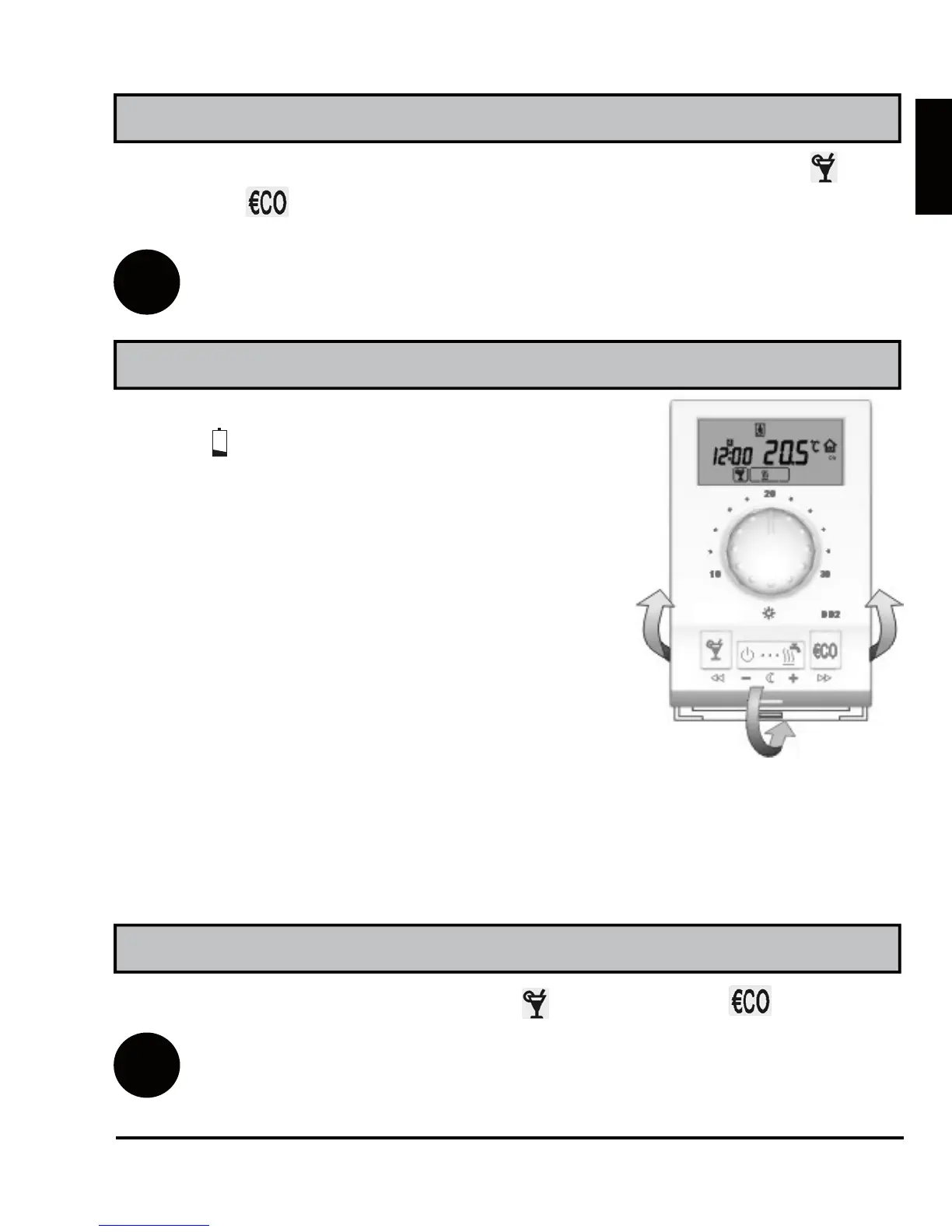
DD2+ is supplied with two alkaline bat-
teries 1.5 V type AAA. Battery socket is
inside the DD2+. To remove room unit
from the wall plate, do the following. Hold
room unit in height of keys and pull it
towards yourself (Picture 10 - OPEN).
After battery exchange, put DD2+ back
on the wall plate, by doing the following.
Hook DD2+ on top and push it with bot-
tom towards the wall plate (Picture 10 -
CLOSE).
In normal display mode, hold key and press key (Escape).
i
If the auxiliary sensor isn’t connected, this command isn’t ac-
tive.
Battery replacement
Command to quick save and quit (Escape)
Every time you wish to quick save and quit setup, hold key and
press key . Release both keys after you hear a beep.
i
All modifications made, are stored. This command has no affect
in program and service settings.
Battery exchange should be done within 20 seconds. In other case you
will have to set the accurate time again.
Display of the auxiliary sensor temperature
Picture 10
OPEN
CLOSE



 To Next Page