ENG
SETTING MANUAL
23
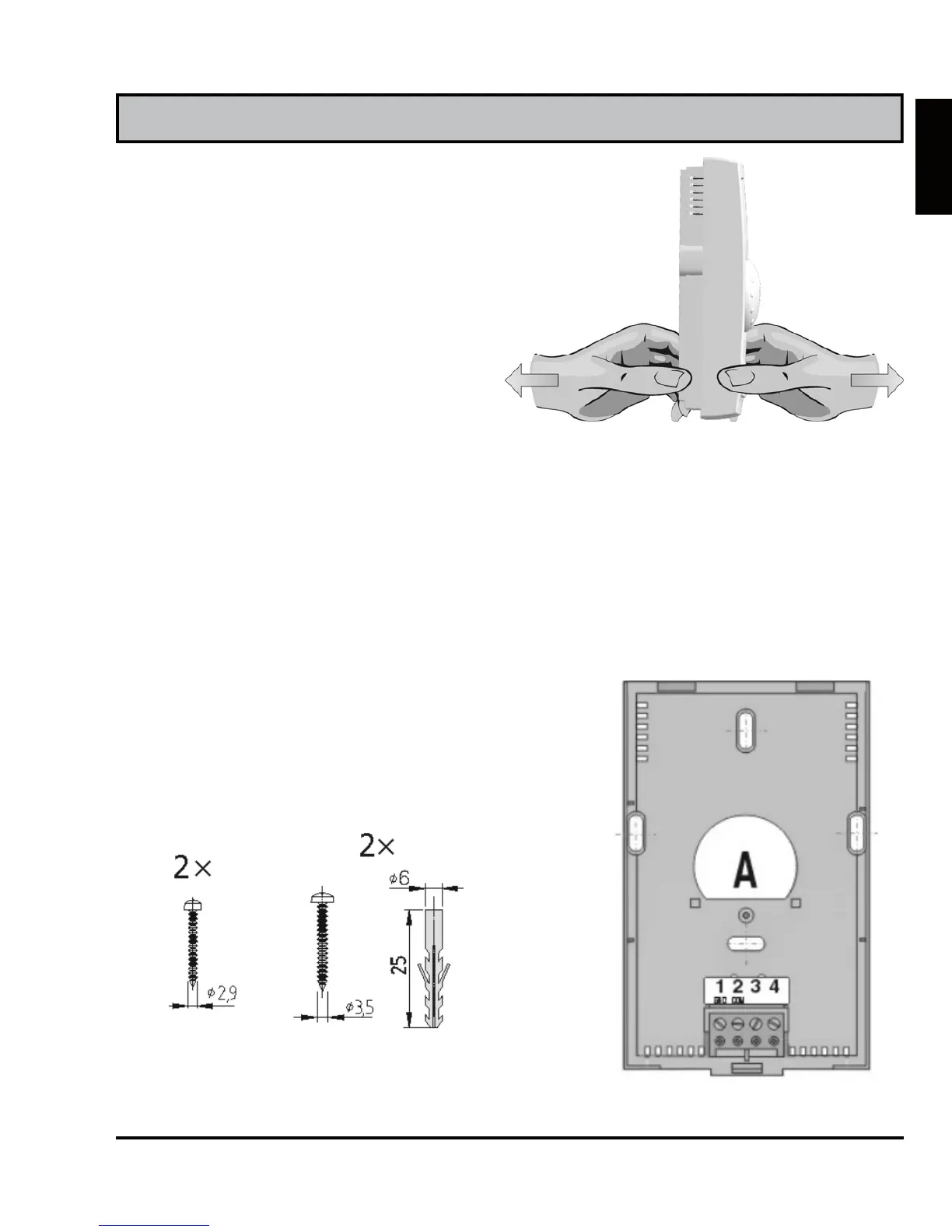
Wall plate mount
Remove the DD2+ from the wall
plate, by doing the following.
With one hand hold DD2+ in
height of keys and with other
hand the wall plate and pull them
apart (Picture 18).
Room unit DD2+ is intended for wall mounting. In case you don’t
have installed a flush box, use the drilling template and mark drill-
ing holes. Use enclosed screws to fasten the wall plate on the wall
(Picture 19). After you have done connecting the wires (see chap-
ters Wiring connections and Connecting the DD2+ to heating con-
troller), put DD2+ back onto the base by doing the following. Hook
DD2+ on top of the wall plate and push it with bottom towards the
wall plate (Picture 10 - CLOSE).
Picture 19
flush
box
wall
Picture 18



 To Next Page