10 |
Instructions for use
EN
OPERATION MODE SELECTION
(RCD2 ONLY)
By pressing the button for 2 seconds we turn room heating on or o.
By pressing the button for 2 seconds we turn domestic hot water warming on or
o.
By pressing the button for 20 seconds we switch between heating and cooling of
rooms.
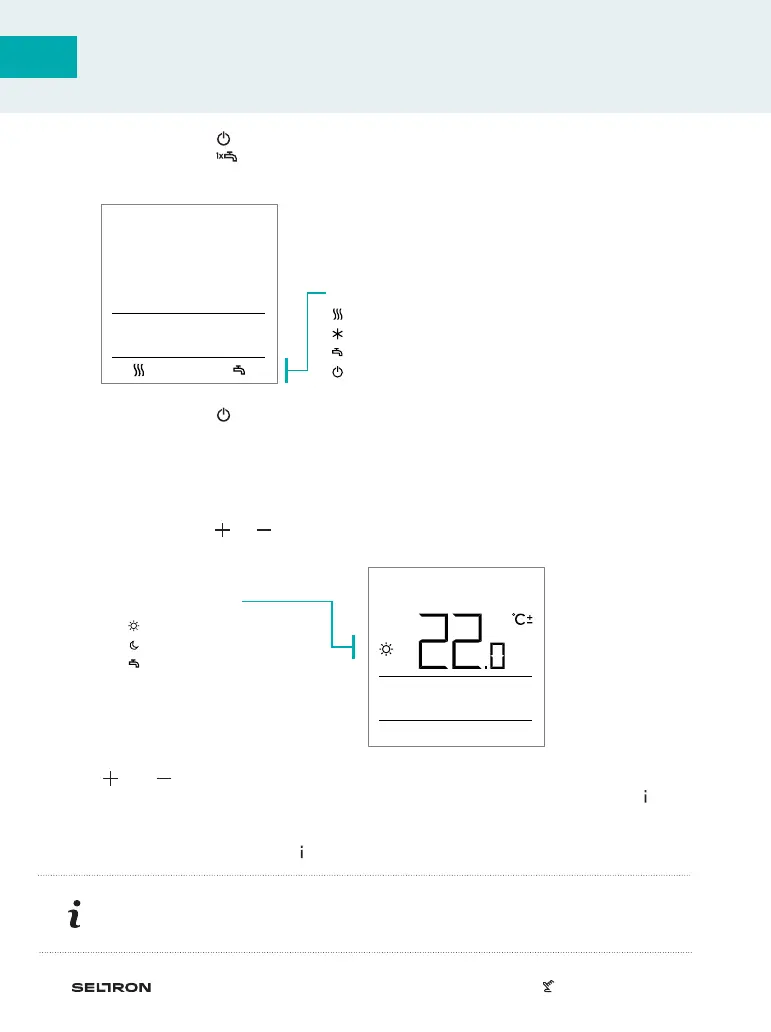
Symbols for operation mode indication
- room heating
- room cooling
- d. h. w. warming
- heating or cooling of rooms o
SETTING THE REQUESTED DAY AND NIGHT TEMP.,
AND REQUESTED DOMESTIC HOT WATER TEMP.
By pressing the button or activate settings of the requested temperatures. Actual
requested temp. is displayed.
Buttons and change the requested temp. Change the setting while the value is
flashing. For setting other requested temperatures move by pressing the button .
We can set the requested day and night temp., and requested domestic hot water
temp. The icon next to the temp. shows which requested temp. we are setting.
With the next press of the button return to the basic display.
Temp. symbol
- day temperature.
- night temperature.
- d. h. w. temperature.
Setting the requested day and night temp., and the domestic hot water temp.
is enabled only when heating is on and functions Party, Eco or Vacation are not
active.



 To Next Page