| 5Instructions for use
EN
6
5
7
8
9
4
1
3
2
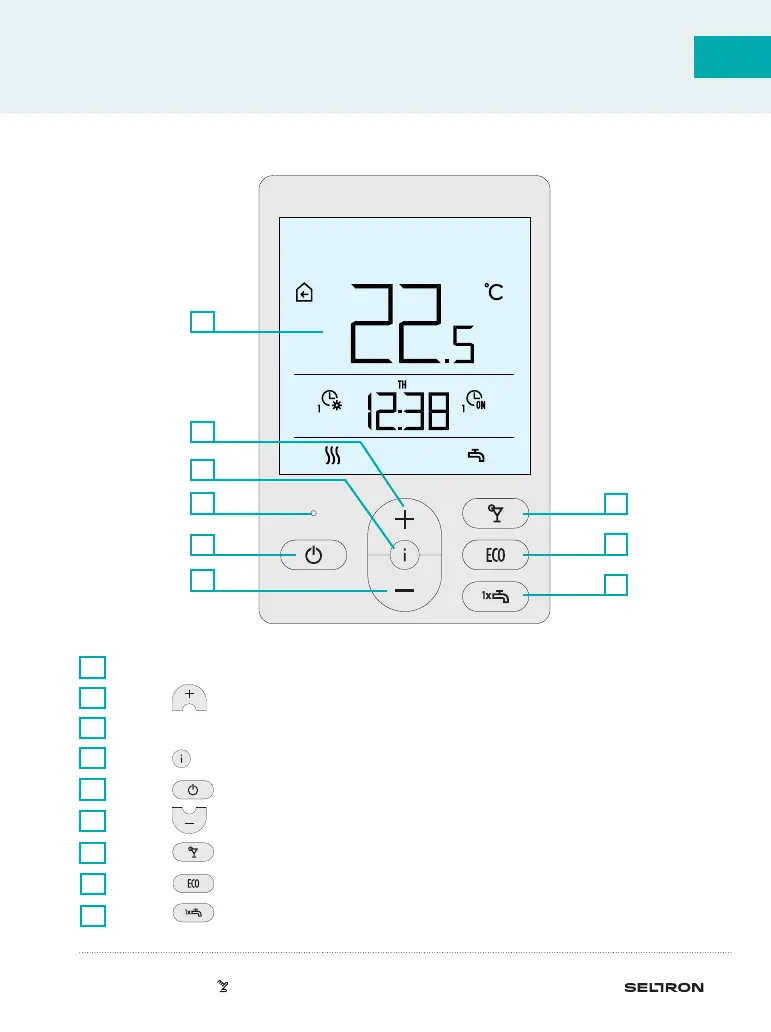
ROOM UNIT RCD2 APPEARANCE
Illuminated display.
1
Button for increasing a setting or moving forwards.
2
Light sensor.
3
Button for reviewing data and entering settings.
4
Button for turning on/o room heating.
5
Button for reducing the setting or moving backwards.
6
Button for turning on/o the Party function.
Button for turning on/o the Eco function.
Button for turning on/o the function for single heating of domestic hot
water and for turning on/o heating of domestic hot water.
7
8
9



 To Next Page