4
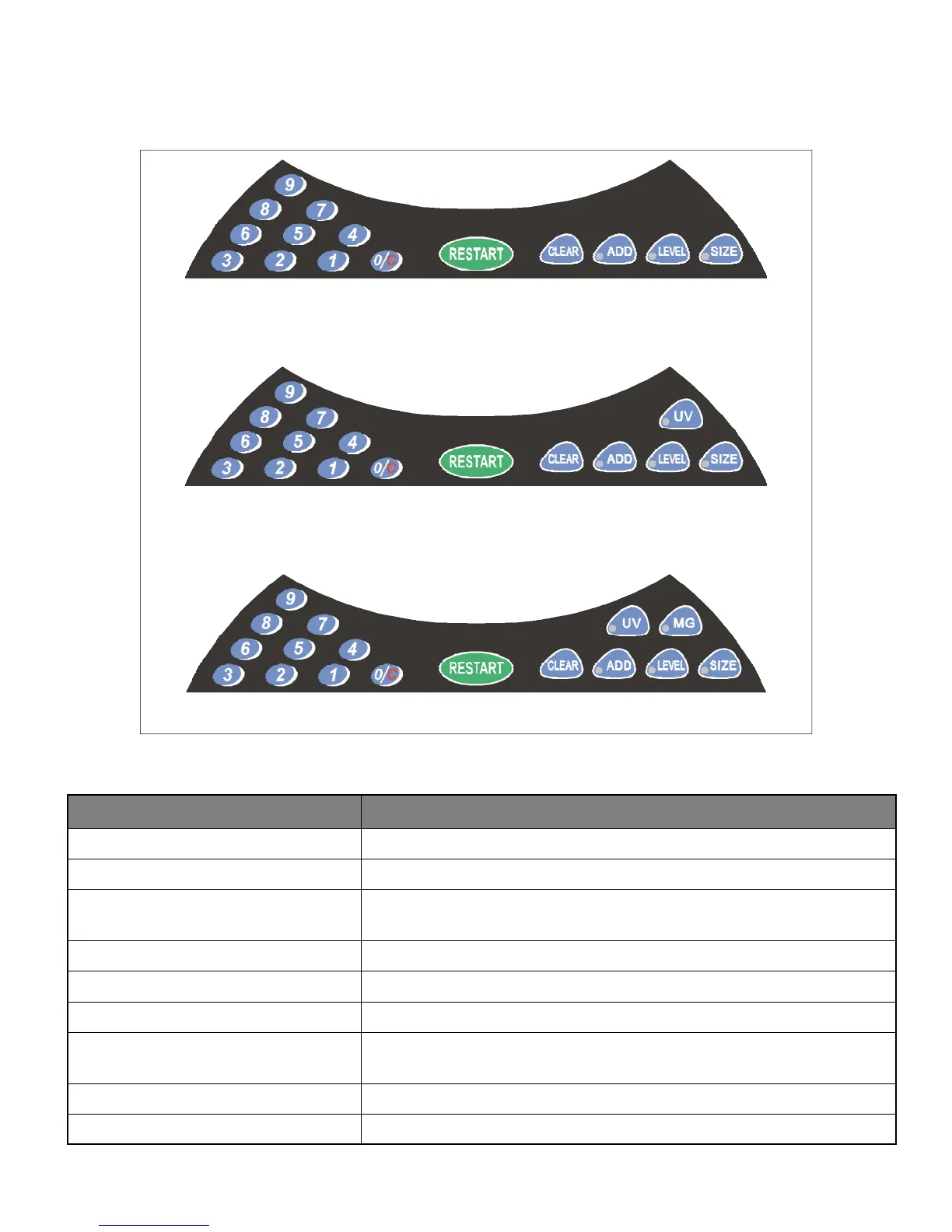
Model S-1100
Model S-1115 With Ultraviolet Counterfeit Detection
Model S-1125 With Ultraviolet And Magnetic Counterfeit Detection
Figure 3
KEY FUNCTION
RESTART
Starts or restarts the counting process
CLEAR
Clears the counting number display
ADD
Turns on/off the ADD function which maintains a cumulative total of
the separate groups of banknotes counted
LEVEL
Not used
SIZE
Not used
0 - 9
Number buttons for selecting the batch stop setting
0/C
Clears the batch stop setting and the counter reverts back to the
standard count mode
UV
Turns on/off and adjusts the UV counterfeit detection feature setting
MG
Turns on/off and adjusts the MG counterfeit detection feature setting
S-1100 Series Control Panel



 To Next Page