8
VALUE MODE
("V" Models Only)
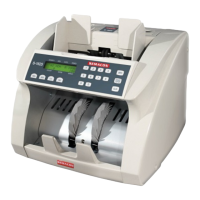
Models S-1600V, S-1615V and S-1625V offer the Value Mode feature. This feature enables the
operator to select a denomination on the control panel so the counting results are displayed in
dollars. On these models, a VAL button is included on the control panel to the left of the ADD
button. To activate the value counting feature, press the VAL button. AUTO will change to $1
on the display screen below DENOM. Pressing the VAL button repeatedly will cycle through the
denominations. When Value Mode is activated, the machine will count all the banknotes in the
hopper as if they were the denomination displayed on the screen. The total count will be
displayed in dollars above COUNT on the display screen. To exit Value Mode, press the VAL
button until AUTO appears on the display screen below DENOM.
Value counting machines cannot detect the difference between
denominations. While in Value Mode, the machine will accept and count all bills in
the stack as the denomination that was selected by the operator. Any sorting errors or
incorrect denomination entries will not be detected by the machine.



 To Next Page